

Belin Doc is an online AI document translator for uploading files, choosing a language and downloading results; check current limits and privacy terms.
Belin Doc: AI document translation and formatting
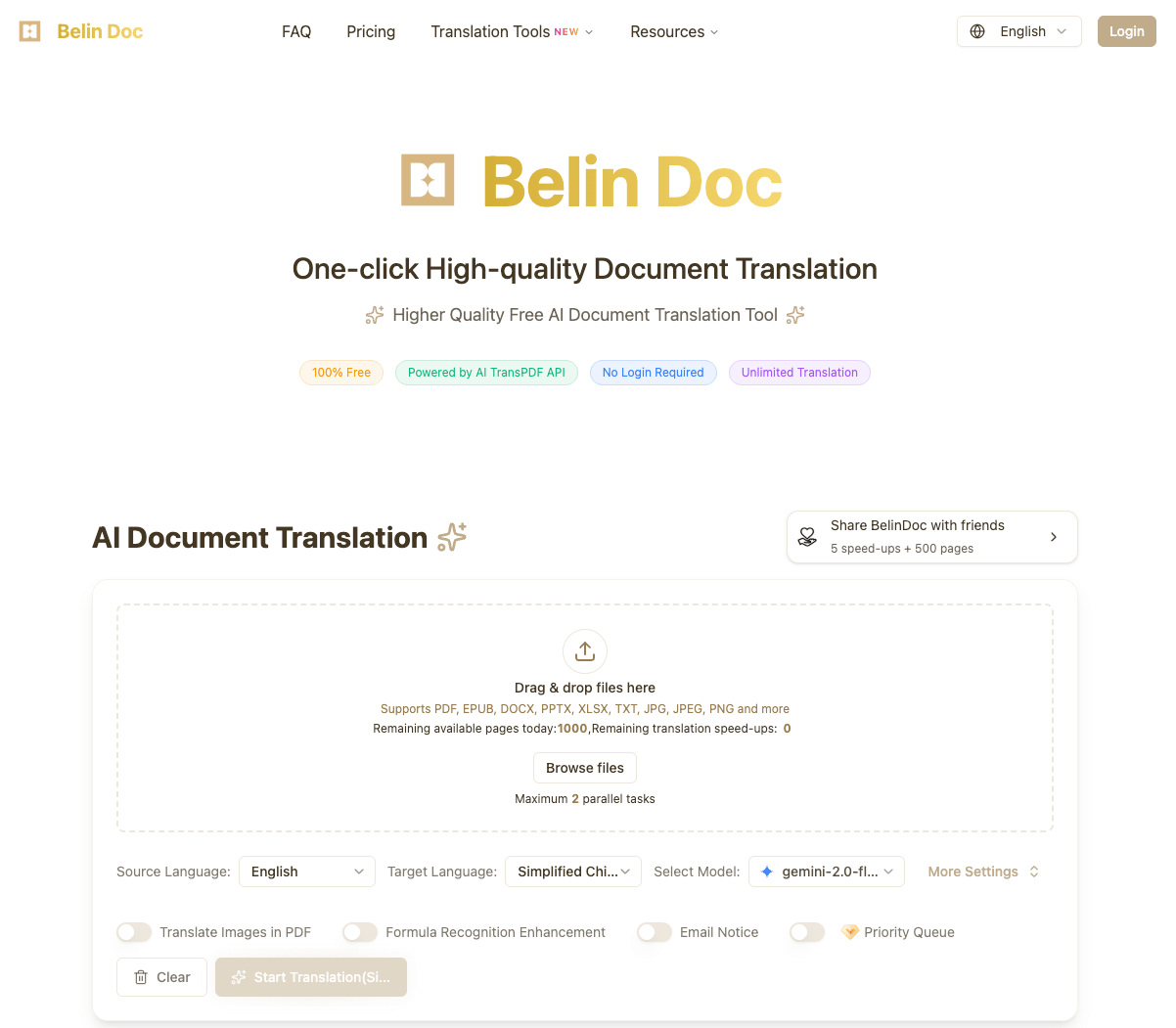
Belin Doc is an online document translation tool with a workflow for uploading files, choosing a target language and downloading translations. Its official website describes support for several document formats and AI-based translation and layout processing.
Main features
The official site lists PDF, DOCX, PPTX, XLSX, TXT, EPUB and common image formats. Check supported files and limits at the time of submission. It also describes OCR for scanned PDFs and images, plus preservation of layout elements such as headings, tables and images. Recognition and formatting quality depend on file quality, language and layout; identical output is not guaranteed. The site describes multilingual translation and a choice of models; available options can change by time, file type or account status. The interface shows limits on pages and parallel tasks and offers premium features, so check the current allowance and terms before use.
How to use it
- Visit the official Belin Doc website and prepare a file you are entitled to translate.
- Upload a supported file, select source and target languages and review available settings.
- Submit the translation, wait for processing and download the result.
- Compare names, numbers, tables, formulas and page layout with the original. Have important content reviewed by someone with relevant expertise.
Uses and considerations
Students and researchers can use it to assist with reading material in another language; professionals can use it to understand product documentation or reports. For contracts, medical or financial material and other consequential content, machine translation is an aid and does not replace professional review. The official site describes free translation, but also mentions a page limit per translation and displays premium services. Check current allowances and pricing. Different parts of the site describe file retention differently; before uploading personal or sensitive business data, verify the current privacy policy, processing practices and permissions rather than relying solely on promotional claims.
Frequently asked questions
Which file types does Belin Doc support?
The site lists PDF, DOCX, PPTX, XLSX, TXT, EPUB and common image formats; check current limits on the page.
Can it translate scanned PDFs?
The site describes OCR for scanned documents, but results depend on scan quality and require human review.
Can I use it for free?
The site describes free translation, a per-translation page limit and premium services. Check current allowances and prices.

Frequently asked questions
Which file types does Belin Doc support?
The site lists PDF, DOCX, PPTX, XLSX, TXT, EPUB and common images; check current limits.
Can it translate scanned PDFs?
The site describes OCR; results depend on scan quality and need human review.
Can I use it for free?
The site describes free translation, a per-translation page limit and premium services; check current terms.



