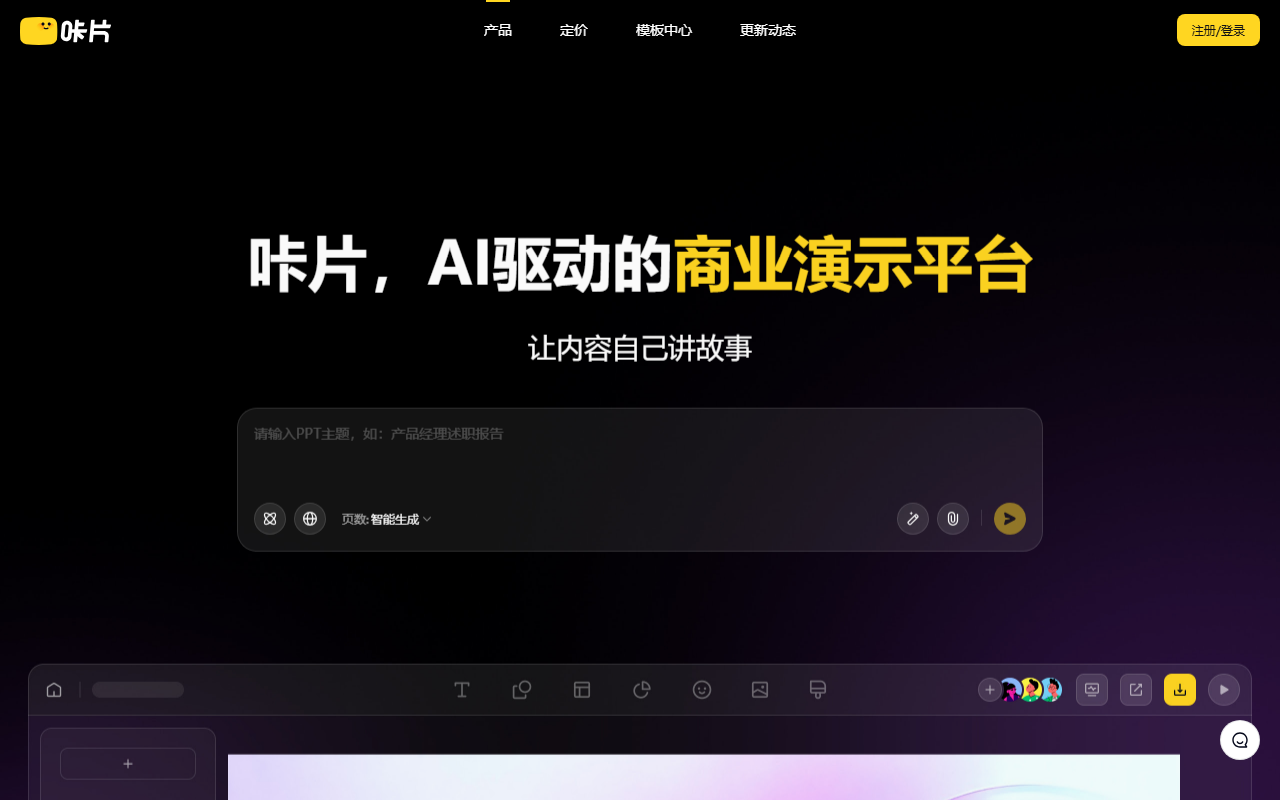
Cappt PPT is an online tool for turning an idea into an editable presentation. Enter a topic or keywords to draft opening, content, and closing slides. Templates and AI help expand, shorten, polish, translate, and title text. Content and visual style can be adjusted separately; themes, colors, and individual slides can be edited. Sign in at https://www.cappt.cc/, choose a template, enter a topic, review slide order, add reliable information, refine the design, then download the PPT for WPS or Microsoft Office. It is useful for customer presentations, project updates, and training materials. AI output is not fact-checked; verify data and citations. Can I edit the result? Yes. Is final review needed? Yes.
Cappt PPT: Create presentations with AI
Cappt PPT is an online tool for turning an idea into an editable presentation. Enter a topic or keywords to draft opening, content, and closing slides. Templates and AI help expand, shorten, polish, translate, and title text. Content and visual style can be adjusted separately; themes, colors, and individual slides can be edited. Sign in at https://www.cappt.cc/, choose a template, enter a topic, review slide order, add reliable information, refine the design, then download the PPT for WPS or Microsoft Office. It is useful for customer presentations, project updates, and training materials. AI output is not fact-checked; verify data and citations. Can I edit the result? Yes. Is final review needed? Yes.
Workflow and practical use
Start with a clear presentation goal and audience. A topic-based outline can save setup time, but the author should decide what each slide needs to communicate, add supporting material, and remove irrelevant sections. Use the writing tools to revise wording rather than accepting every suggestion unchanged. After changing a theme, review text contrast, alignment, spacing, and how dense pages look on screen. Export the PPT and open it in the software used for the actual presentation; check fonts, charts, page breaks, and editable elements. This final pass matters especially for customer proposals, training, and decision documents.
Review before sharing
Do not treat generated text as verified research or a substitute for professional judgment. Confirm names, dates, calculations, quotations, and claims against dependable material. Keep confidential or personal information out of prompts unless the service terms permit it. The official site is the place to confirm current features, account conditions, and pricing. A good result still depends on the brief, source material, and human review.
Frequently asked questions
Cappt PPT: Create presentations with AI
Can it create a complete deck from a topic? It can draft a structure; review and supply accurate material.
Can I keep editing? Yes, edit the deck or download the PPT.
What should I check? Verify facts, citations, readability, and formatting.
Cappt PPT: Create presentations with AI
# Cappt PPT: Create presentations with AI Cappt PPT is an online tool for turning an idea into an editable presentation. Enter a topic or keywords to draft opening, content, and closing slides. Templates and AI help expand, shorten, polish, translate, and title text. Content and visual style can be adjusted separately; themes, colors, and individual slides can be edited. Sign in at https://www./