

Douge Voiceover provides text-to-speech and audio processing, with supporting workflows for script extraction, subtitle editing, and timing alignment. It is suited to video narration and audio preparation; review recognition results and use only authorized voice material.
Douge Voiceover: AI narration and audio tools
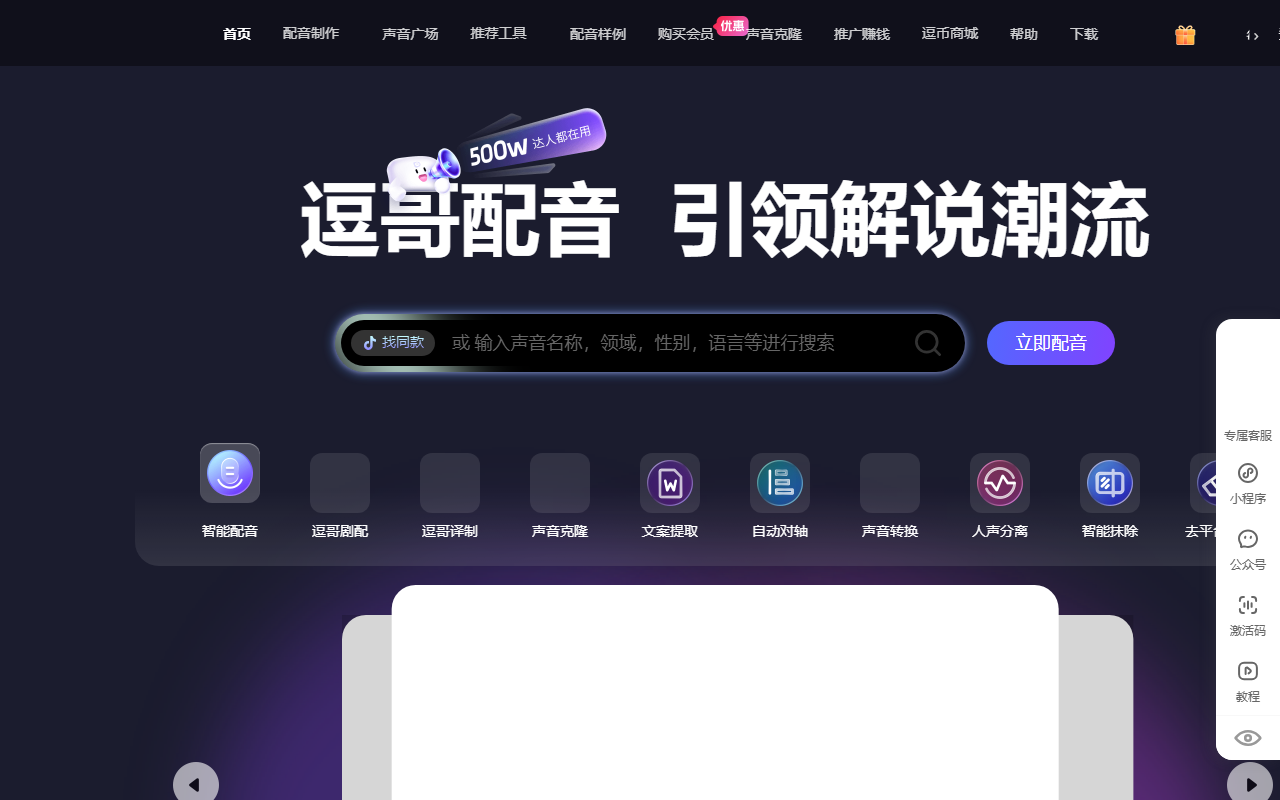
Douge Voiceover is a creative tool for voice and audio work in video production. Its product pages present text-to-speech and audio-processing functions, as well as workflows for extracting spoken text, editing subtitles, and aligning timing. It can help creators prepare narration, organize spoken content, or work with voiceover materials. Check the current Douge website for the available tools and access requirements.
Main capabilities
- Text-to-speech: Turn written copy into generated speech. Preview available voices and check names, numbers, pauses, and tone before using the audio.
- Audio processing: The product page lists functions such as voice conversion and vocal separation. Available controls depend on the current interface. If voice cloning is used, use only your own voice or samples for which you have clear permission; do not impersonate someone or mislead listeners.
- Text and subtitle workflows: Related official tools show audio/video transcription, subtitle editing or export, and automatic timing alignment. Recognition may contain errors or timing offsets, so proofread before publication.
Basic workflow
- Open the website and review the current tools, account requirements, and available features.
- Prepare copy and audio materials that you have permission to use. Make names, abbreviations, numbers, and pauses clear in the text.
- In the voiceover interface, preview the available voices and generate a sample. Check pronunciation, pace, tone, and whether the speech matches the copy.
- If you use transcription or subtitle functions, provide media you are authorized to process and review the recognized words and timeline.
- Check the final audio and subtitles, then export them into your own editing workflow. Confirm the current export formats, permissions, and file compatibility in the product.
Suitable uses
Douge Voiceover may help create narration drafts for short videos, prepare speech for commentary, extract spoken copy from existing media, and organize subtitles for later editing. Trying a short passage first can help identify pronunciation or pacing issues before processing a longer script.
Limitations and responsible use
Generated speech and automatic recognition can make mistakes, especially with names, polyphonic words, dialects, and noisy recordings. Do not present generated speech as a real person's original recording without clear disclosure. Confirm permission before processing another person's voice, likeness, or video, and follow relevant platform rules. Avoid uploading personal or confidential material that should not be handled by an online service. Prices, free allowances, usage rights, and export formats may change; consult the current product page and account terms.
Frequently asked questions
Can Douge Voiceover convert text to speech?
The official website presents a text-to-speech entry point. Available voices and editing options depend on the current interface. Preview the output and check pronunciation, pauses, and number reading.
Can it extract spoken copy or export subtitles?
Related official tools show audio/video transcription, subtitle editing or export, and automatic timing alignment. Recognition and timing can be imperfect, so review the result line by line.
What should I consider when using voice cloning?
Use only your own voice or samples with explicit permission, and follow the service terms and publishing platform rules. Do not use a cloned voice to impersonate someone or make listeners believe they spoke content they did not.

Frequently asked questions
Can Douge Voiceover convert text to speech?
The official website presents a text-to-speech entry point. Available voices and editing options depend on the current interface. Preview the output and check pronunciation, pauses, and number reading.
Can it extract spoken copy or export subtitles?
Related official tools show audio/video transcription, subtitle editing or export, and automatic timing alignment. Recognition and timing can be imperfect, so review the result line by line.
What should I consider when using voice cloning?
Use only your own voice or samples with explicit permission, and follow the service terms and publishing platform rules. Do not use a cloned voice to impersonate someone or make listeners believe they spoke content they did not.



