

Fogsight is a free, open-source AI animation generator: you describe a topic, a large language model writes the script and narration, and an animation engine renders it into a short animated explainer that you can keep refining by chatting with it.
What is Fogsight
Fogsight is a free, open-source AI animation generator built around one simple idea: you name a topic or concept, and it turns that abstract phrase into an animation with narration, visual elements and motion. The examples it shows are telling — bubble sort, the law of increasing entropy — subjects that are painful to explain in static slides and suddenly obvious once they move.
You do not lay out a timeline or draw keyframes. A large language model reads the topic, writes a script with scene direction and narration, and an animation engine renders it into a finished piece. Your job is closer to directing: describe what you want clearly, then watch the result appear.
If the first cut misses, you do not start over. Fogsight ships a language user interface (LUI) that supports multi-turn conversation, so pacing, wording and framing can all be adjusted by talking to it.
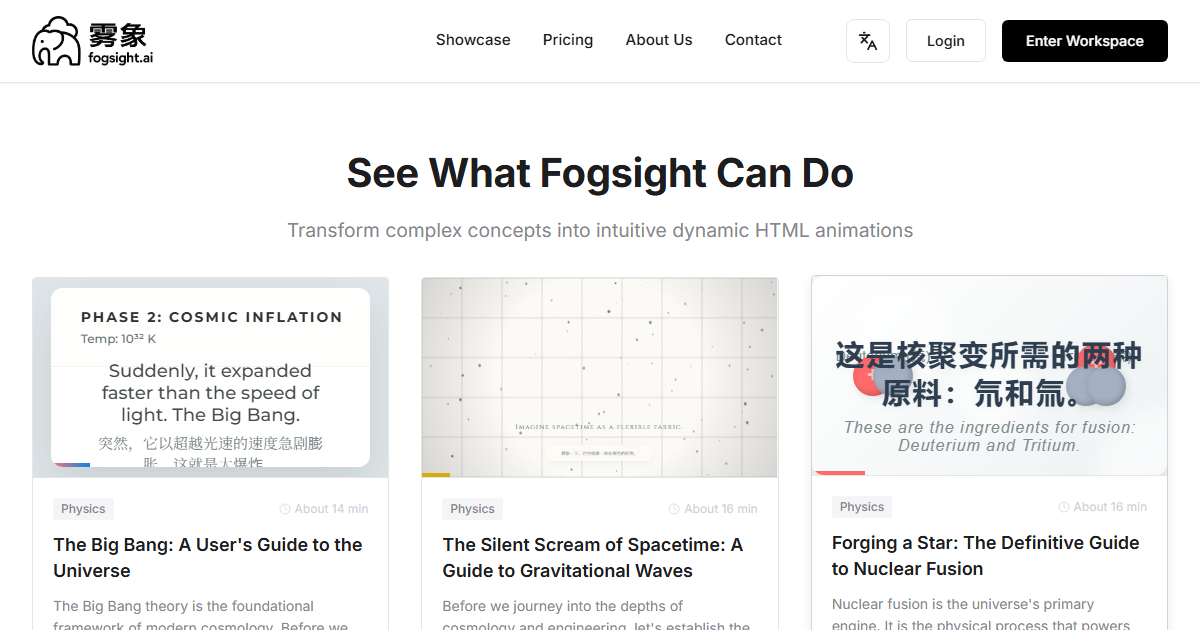
Main features
- Text to animation: enter a topic or concept and get an animation with narration, visual elements and motion that makes the abstract concrete.
- LLM-driven orchestration: the model handles the entire path from written script to finished animation, so you do not design animation details by hand.
- Language user interface (LUI): refine the result through natural-language conversation, round after round, until it matches what you had in mind.
- Multi-model compatibility: connect different LLMs, such as OpenAI GPT and Google Gemini, and switch according to your needs.
- Open source and hackable: the code lives on GitHub (https://github.com/fogsightai/fogsight), ready for self-hosting and further development.
How to use it
- Get the code: clone the Fogsight repository and install the environment dependencies described in the documentation.
- Add a model key: obtain an API key for the LLM you want to use, such as OpenAI or Google Gemini, and put it in credentials.json.
- Enter a topic: type the concept in the interface or the command-line tool. The more concrete the better — for example, "explain in three minutes how bubble sort swaps elements".
- Generate the animation: the system parses your input, the model writes the script, and the animation engine produces the video.
- Refine in conversation: keep talking through the LUI, pointing at the specific segment you want changed and how.
- Export and use: export the result as a video file or another supported format for lessons, short videos or presentation pages.
- Try before installing: you can open the official site at https://fogsight.ai/ to see the output first and decide whether to self-host.
Where it fits
- Classroom teaching: turn algorithms and physical laws into animation so students can watch the process instead of imagining it.
- Science communication: build short explainers of scientific principles and replace paragraphs of text with moving images.
- Corporate training: animate technical workflows and business rules for onboarding and internal knowledge sharing.
- Content creation: produce early concept clips for short videos, ads or creative pitches to test whether an idea is worth pursuing.
- Self-directed learning: have students animate a difficult concept themselves; building it once usually teaches more than reading it ten times.
- Development: integrate the open-source code into your own product to add custom animation generation.
Limitations
- Some technical setup is required: self-hosting means dependencies and API keys, which can take a while the first time. If that is not your thing, start with the online version on the official site.
- Model costs are yours: the tool is free and open source, but calls to GPT, Gemini or other model APIs are billed by the provider and depend on the model and volume you use.
- Output quality tracks input quality: vague topics produce vague videos, and long scripts with several concepts usually need more rounds of adjustment.
- Visual style is bounded by the animation engine: this is not frame-by-frame animation software, so fine storyboard and art-direction control is limited.
- The project keeps moving: interfaces and configuration in an open-source repository can change, so treat the repository documentation as the source of truth.
FAQ
Is Fogsight free? The tool is free and open source and can be self-hosted. Model usage is separate — calls to third-party LLM APIs are charged by that provider.
Do I have to know how to code? Self-hosting requires configuring the environment and an API key. If you only want to see what it produces, try the official site first.
Which models can I use? It is built to work with multiple LLMs, including OpenAI GPT models and Google Gemini; check the project documentation for the current list and setup.
Can I use the animations commercially? The code is open source, but the output, the provider terms and third-party assets each have their own conditions — verify the licenses before commercial use.
Frequently asked questions
Is Fogsight free to use?
The tool itself is free and open source, and you can self-host it. Model usage is separate: calls to third-party LLM APIs are billed by the provider you choose.
Do I need to code to use it?
Self-hosting means installing dependencies and adding an API key, so some technical comfort helps. If you only want to see the output, the official site offers an online version to try first.
Which language models does it support?
It is designed to work with multiple LLMs, such as OpenAI GPT models and Google Gemini. Check the repository documentation for the current list and configuration.
Can I use the generated animations commercially?
The code is open source, but the output, the model provider terms and any third-party assets each carry their own conditions, so review the applicable licenses before commercial use.



