

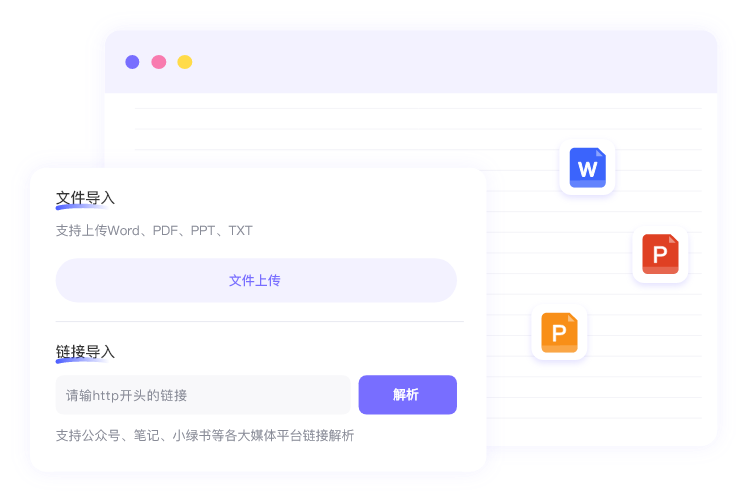
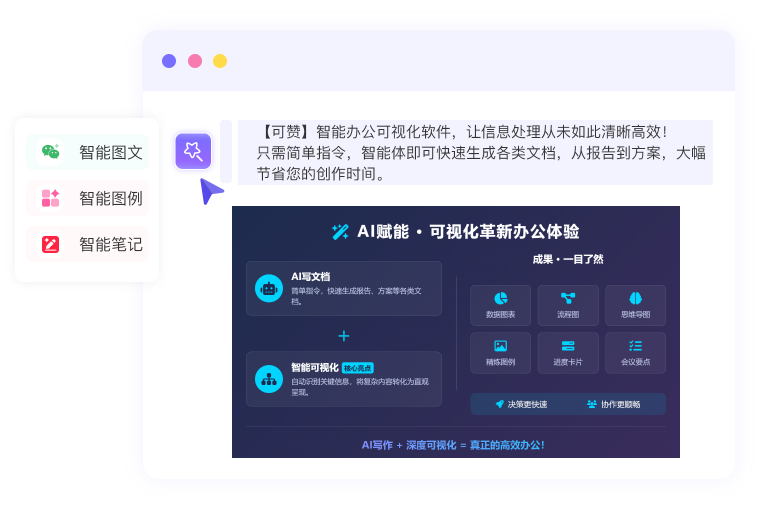
Kezign AI is an office document and information visualization tool. Product information describes creating or importing documents, organizing text into charts, diagrams, knowledge cards or mind maps, and adjusting content and visual styles.

Kezign AI: turn office documents into charts and knowledge cards
Kezign AI is an office document and information visualization tool. Product information describes creating or importing documents, organizing text into charts, diagrams, knowledge cards or mind maps, and adjusting content and visual styles.
Features
The material describes assistance generating different visual formats from documents, with options to adjust content, hierarchy, layout and colors. Check current chart types, supported document formats, editing and export options in the interface. It can help organize meeting points, study materials, project ideas or reports. AI may omit information, misunderstand relationships or select an unsuitable chart; verify structure, numbers, units and legends against the original text and data instead of treating output as a validated conclusion.
How to use
Visit the official site, register or sign in and review features, fees and data terms. Create a document or import material you are authorized to use, identifying the paragraphs, data and presentation goal. Choose an available generation option, check the chart, card or mind map and adjust text, layout and colors. Compare the visual with the original information and export or share using available options after checking it.
Things to check
Choose chart forms appropriate to the data and check axes, scales, labels and units; also check mind maps and cards for missing conditions. Important decisions should not rely solely on AI-generated visuals. Before uploading meeting notes, customer data or internal files, confirm sharing rights and classification and read privacy and data-processing terms. Features, prices, allowances and formats may change; check current product information.
Frequently asked questions
Can it generate charts from an existing document?
Product information describes document import and visualization; check supported formats and actual results in the current interface.
Do generated charts need checking?
Yes. Verify the data, units, scales, labels and choice of chart.
Can I change colors and content?
The material describes content and color adjustments; the editable scope depends on the current feature.
Frequently asked questions
Can it generate charts from an existing document?
Product information describes document import and visualization; check supported formats and actual results in the current interface.
Do generated charts need checking?
Yes. Verify the data, units, scales, labels and choice of chart.
Can I change colors and content?
The material describes content and color adjustments; the editable scope depends on the current feature.



