

PaiWo AI is an AI video creation app for beginners; it turns text, photos and trending effect templates into shareable short videos on iOS and Android.
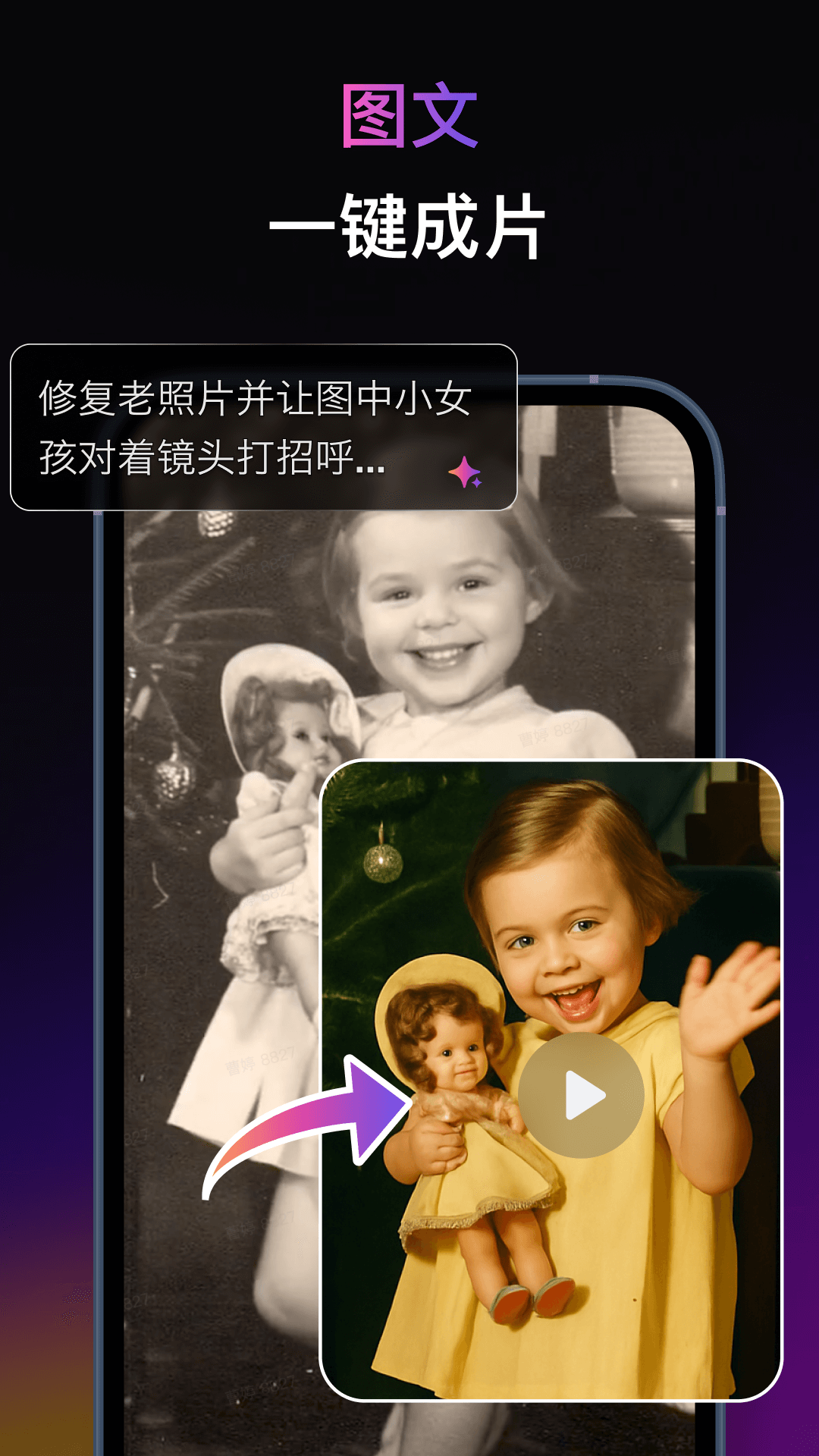
PaiWo AI: AI Video Creation for Beginners
PaiWo AI is an AI video creation app from Beijing AIsphere, and it is the Chinese edition of PixVerse. It is designed for users with no editing background, turning common short-video ideas into selectable effects so people can produce eye-catching clips without prior experience. The app supports multiple languages and runs on both iOS and Android devices.
Main capabilities
- Trending AI effects: built-in templates such as pets dancing, a symbiote-style transformation, funny costume changes and warm hugs; pick a template and upload your material to generate the effect.
- Text to video: type a short description and the app interprets it to generate matching video content, lowering the barrier to creation.
- Image to video: turn a still photo into a dynamic video so static pictures move, which is handy for social sharing.
- Copy a viral style quickly: when you see an effect you like, copy it in one tap and apply it to your own project.
- Easy sharing: share your results to social media with a single tap.
How to use
- Install and open PaiWo AI on an iOS or Android device.
- Choose the template or feature that matches your goal, such as text to video, image to video or a trending effect.
- Upload the required material (a photo or a text prompt) and follow the on-screen settings.
- Wait for the video to be generated, then preview and save it.
- Share it to social media when you are ready.
Where it fits
- Users who want to make short videos quickly without editing skills.
- Everyday creators who want playful motion effects for pet or portrait photos.
- Social media operators producing popular effects at volume.
- Anyone exploring “text to video” style creative expression.
Limitations
- Results depend on the template and the quality of the uploaded material, so output may differ from the examples.
- Some features and templates change with each version.
- This overview is based on public information; the exact features and availability shown in the app should be treated as final.
FAQ
Who is PaiWo AI for? It targets beginners and also suits social media creators who need to produce fun short videos quickly.
Which devices are supported? The app runs on iOS and Android devices and supports multiple languages.
Can I create a video from text only? Yes. The app offers text-to-video, so you can type a description and generate matching video content.
What can image-to-video do? It turns a still picture into a dynamic video, bringing photos to life for easy sharing.
Frequently asked questions
Who is PaiWo AI for?
It targets beginners and also suits social media creators who need to produce fun short videos quickly.
Which devices are supported?
The app runs on iOS and Android devices and supports multiple languages.
Can I create a video from text only?
Yes. The app offers text-to-video, so you can type a description and generate matching video content.
What can image-to-video do?
It turns a still picture into a dynamic video, bringing photos to life for easy sharing.



