Rena Lancai is an analysis assistant for individual investors who want less information noise and a quick read on the stocks they follow. It links daily briefs and market summaries to your watchlist and explains the reasoning behind each bullish, bearish, or neutral view. It does not recommend stocks and does not trade on your behalf.
Rena Lancai is a stock analysis agent built for individual investors. Its central idea is not to dump every piece of news on you, but to first connect the daily brief, the market summary, and individual stock updates, and then show only the parts that relate to the list you actually follow. That cuts down information overload. You can add the stocks you care about by searching for a ticker or name, or you can upload a screenshot of your holdings and let it import them in bulk. From there you can read each stock's updates, overall introduction, and observation checklist, and whenever you see a bullish, bearish, or neutral view you can ask why, and what you could use to verify it.
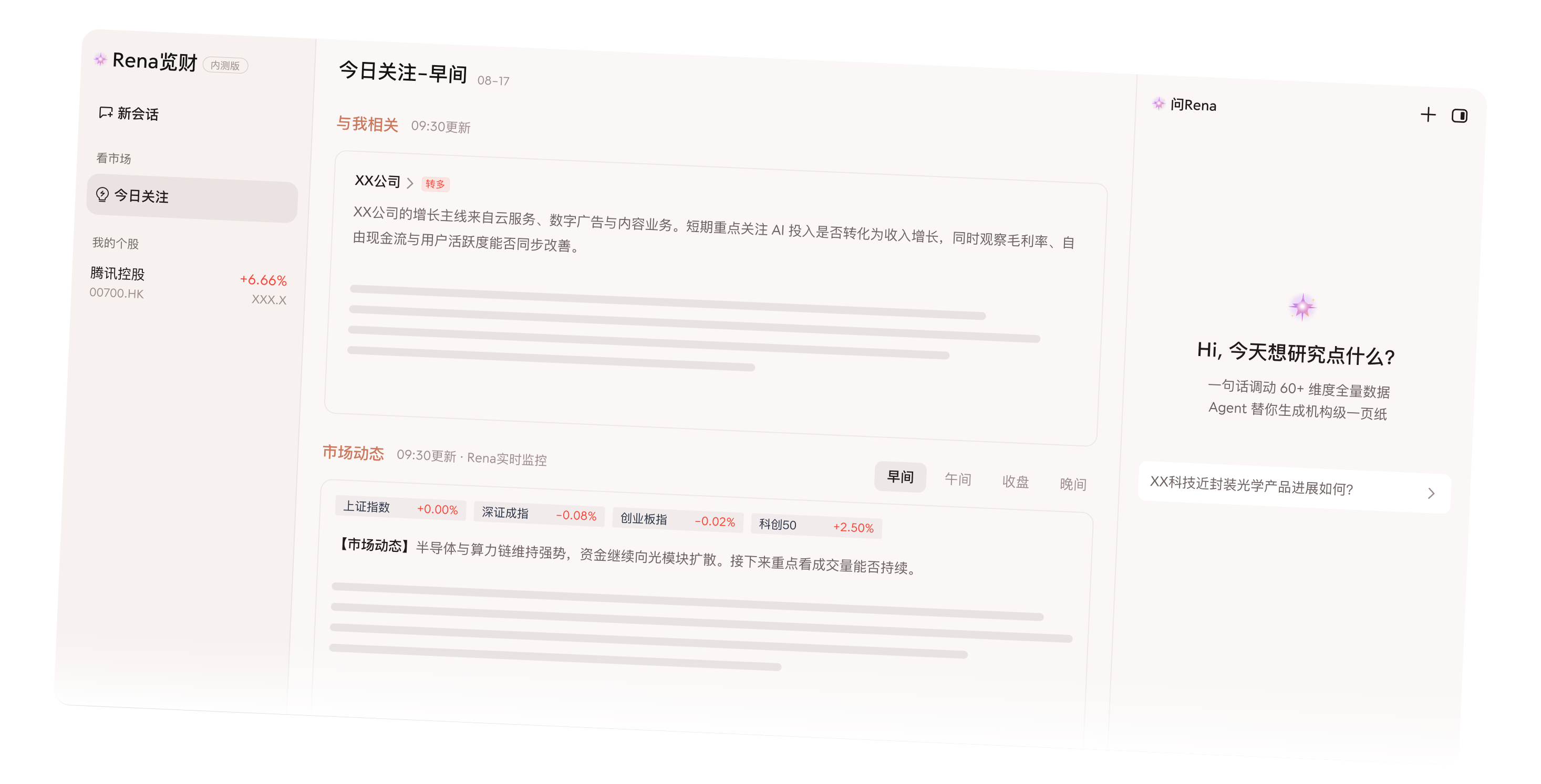
Main capabilities
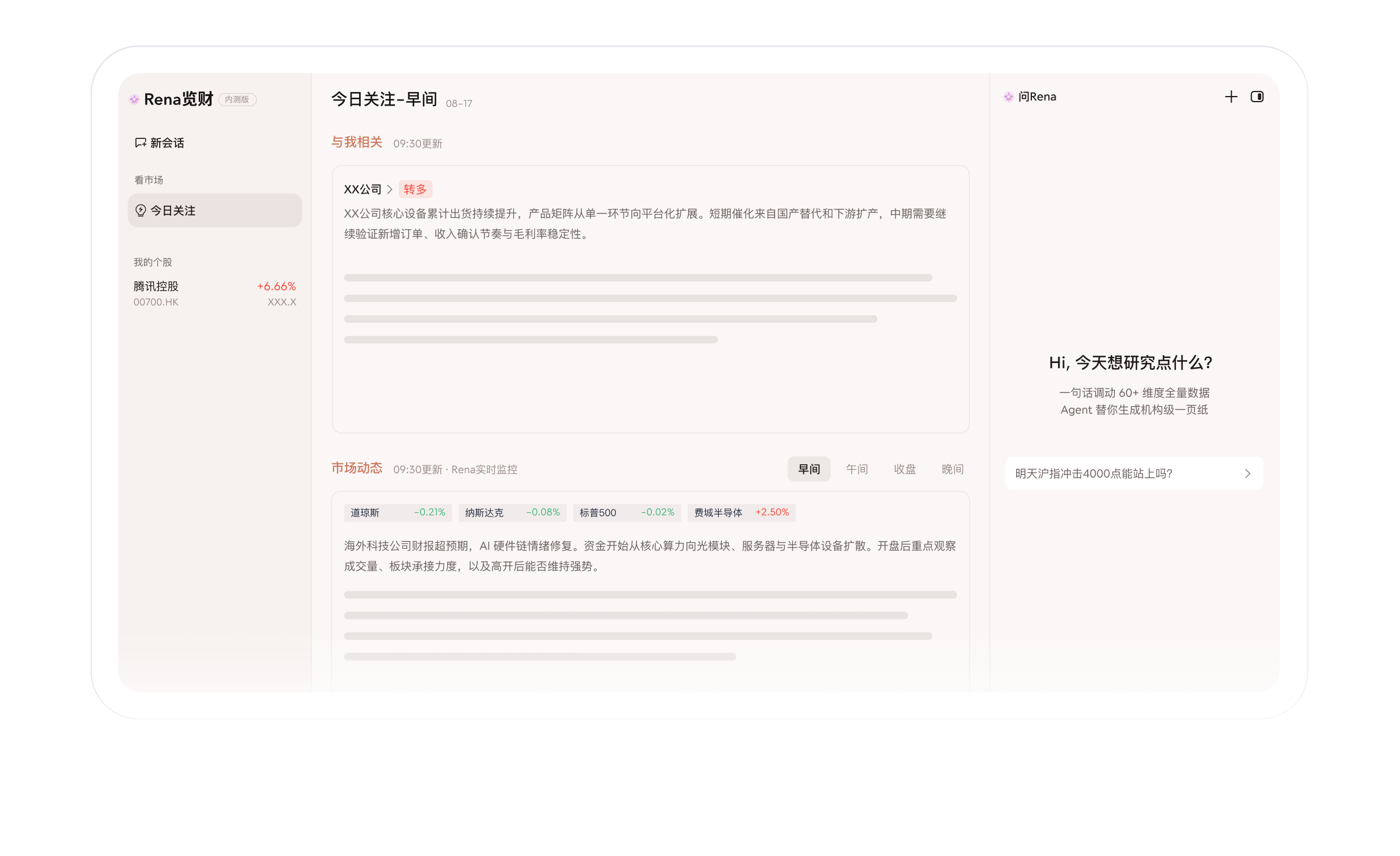
Personalised daily brief. This is what separates it from an ordinary news feed. The brief only collects and links market headlines and summaries related to the stocks you follow, so you do not have to sift out what matters from a large volume of unrelated items.
Watchlist management. There are two ways: search by ticker or company name and add stocks one by one, or upload a screenshot of your holdings for bulk recognition and import. The second option is usually easier if you have just tidied up your account.
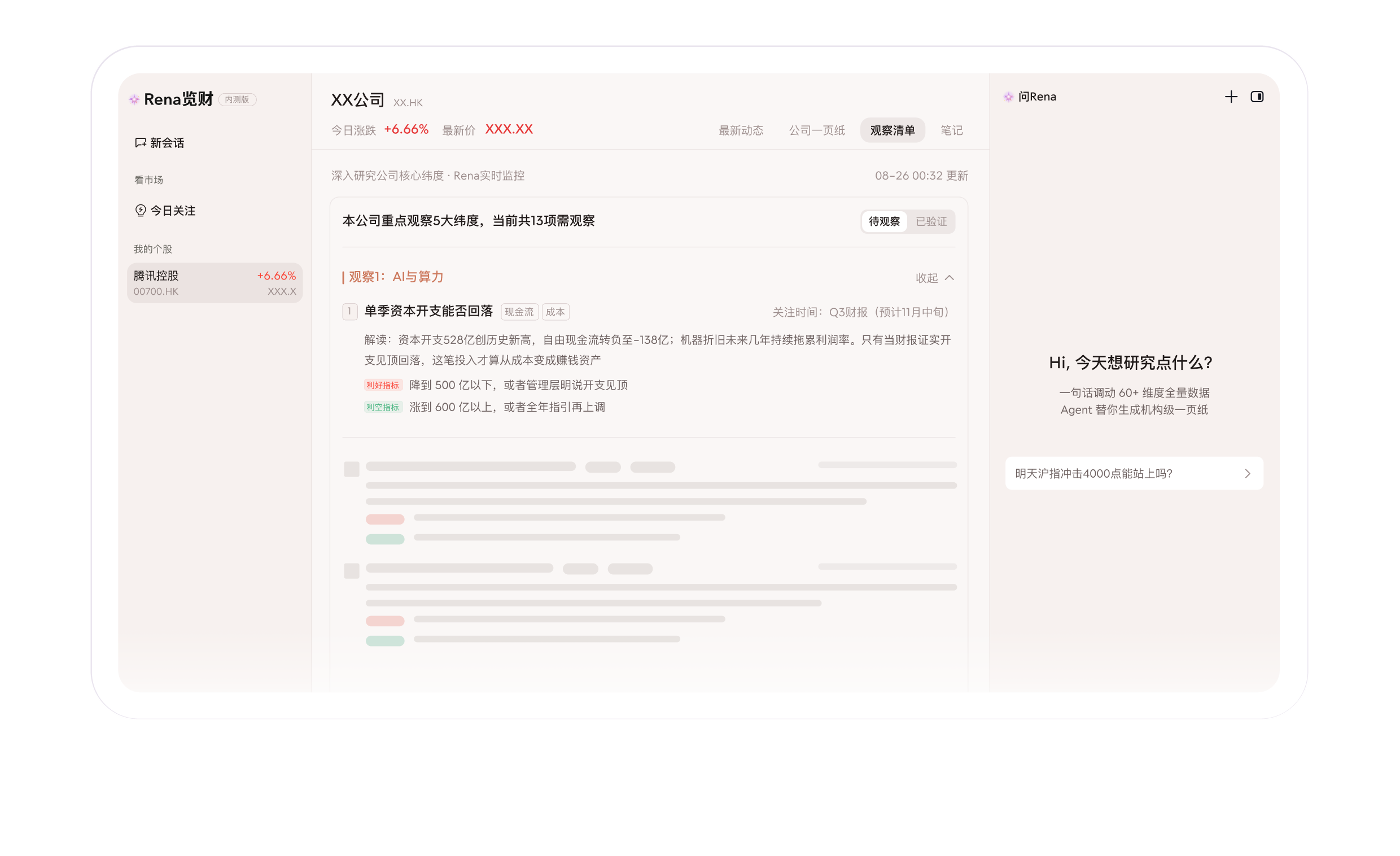
Individual stock analysis. Each stock page provides updates, an overall introduction, and an observation checklist, along with a bullish, bearish, or neutral lean. The important part is that it does not hand you a bare conclusion. It also explains the basis and the standards you could observe going forward.
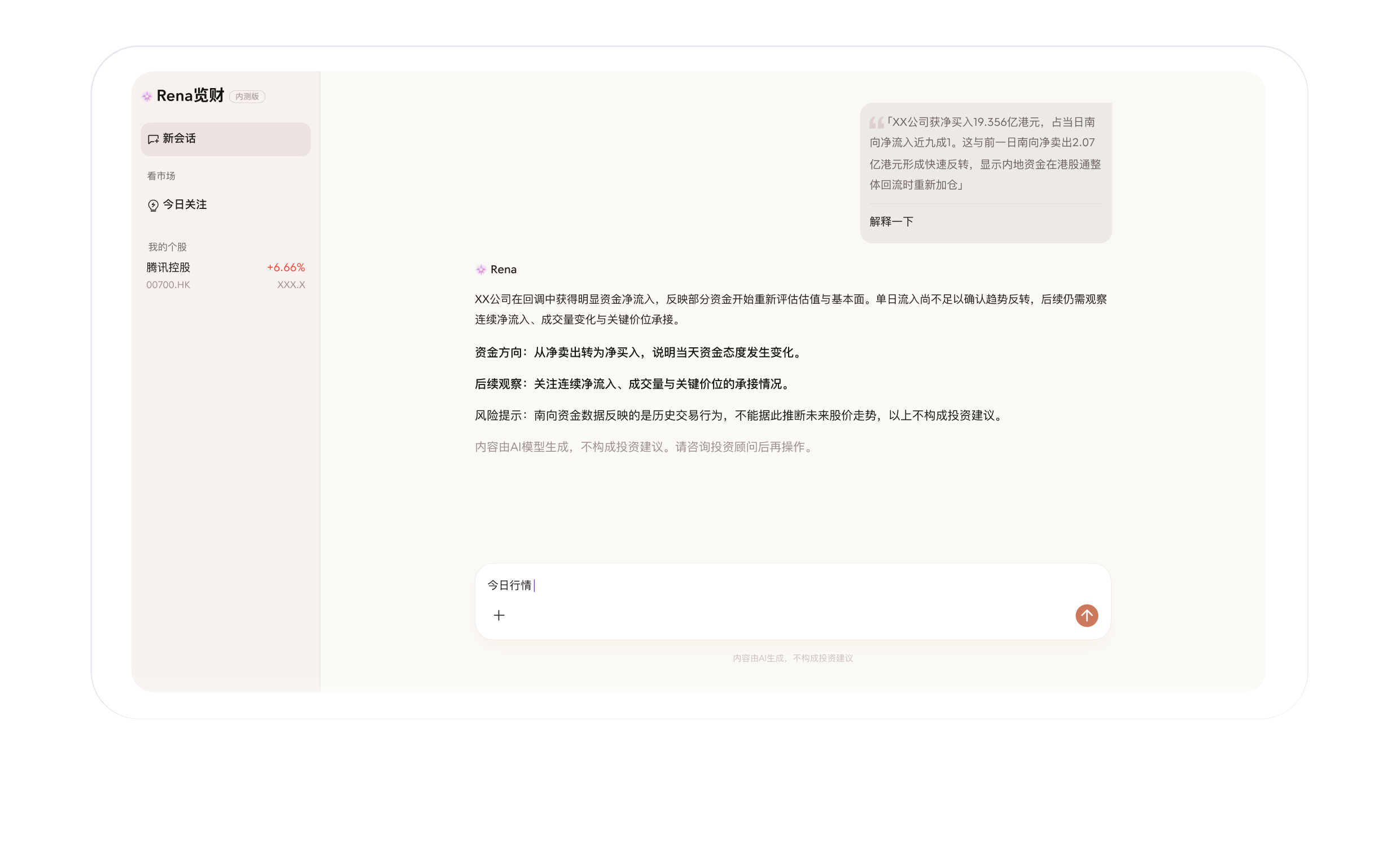
Notes and follow-up questions. You can write Markdown notes on anything that matters and ask the assistant about a specific stock or the market as a whole, so questions and conclusions stay in the same context.
Several entry points. It is available on the web, in a WeChat mini program, and through an assistant, so you can glance at things on your phone during short breaks and dig deeper on the desktop when you want to.
How to use it
- Visit the product site at
https://rena.qq.com/, or find the corresponding mini program in WeChat and connect the assistant. - Sign in or authorise as the page prompts you to, then enter the workspace.
- Add stocks to your watchlist: search by name or ticker, or upload a screenshot of your holdings for bulk import.
- Read the items in Today's Focus that relate to the stocks you follow.
- Open an individual stock to see its updates, introduction, observation checklist, and the reasoning behind the bullish or bearish view, and jot down Markdown notes as you go.
- Ask the assistant follow-up questions from the side panel or from a stock page to get further explanation and analysis.
Where it fits
Before the open. Use Today's Focus to scan the headlines related to your stocks, the overnight moves elsewhere, and the morning summary, so you have a baseline for the day.
During short breaks in the trading session. Ask in the mini program or the assistant whether a particular headline is good or bad news for your holdings, without needing to open a computer.
Around midday or after the close. Combine the market summary with your own notes on sector rotation and volume changes, and write a short Markdown recap.
Researching a company for the first time. Add it to your list, read the overall introduction, the observation checklist, and the verification criteria behind the view, and build an initial picture.
Before a decision on a position. Check a single stock: ask about risks, catalysts, conditions that would invalidate the view, and signals worth tracking, then decide for yourself whether to act.
Things to keep in mind
It is positioned as analysis support rather than investment advice. It does not recommend stocks and does not take part in trading, so the final judgement stays with you. The range of what it can cover also depends on how broad the underlying data sources are, and analysis quality shifts with that coverage. Judging from the available material, the page is currently marked as a closed beta, so features and the interface may still change. As a lightweight tool aimed at ordinary investors, it suits information noise reduction and building a quick understanding of a stock, rather than serving as a complete research workflow.
How it differs from professional research tools
If your approach depends on writing down a thesis you can track over time, maintaining a list of supporting and opposing evidence, and reviewing it on a schedule, then this kind of personal analysis assistant is not a replacement. It leans towards everyday information linking and quick comprehension, which suits people who do not want to maintain a heavy methodology. If you value a light tool, a low barrier to entry, and a good fit for fragmented time, its multi-entry design will probably serve you well. If you need deep research with a durable trail of reasoning, you will have to make that up elsewhere.
Frequently asked questions
Who is Rena Lancai designed for?
It is designed for ordinary individual investors who have no research experience and want less noise and a quicker read on the stocks they follow. It is not an institutional research tool, so the barrier to entry is low.
Does it recommend stocks or trade for me?
No. It is positioned as personal analysis support. It does not recommend stocks and does not take part in trading, and every judgement and final decision stays with you.
How do I add the stocks I already hold?
There are two options: search by stock name or ticker and add them one by one, or upload a screenshot of your holdings and let it recognise and import them as a batch.
Can I just follow its bullish or bearish view?
That is not advisable. What it gives you is a leaning, and it also states the basis and the verification criteria, so it should be read as help in interpreting information. The final decision is still yours to make and to bear the consequences of.
Is it available outside the web version?
Yes. It is offered through the web, a WeChat mini program, and an assistant, so you can check things quickly on your phone during short breaks and switch to the web version when you want to go deeper.