
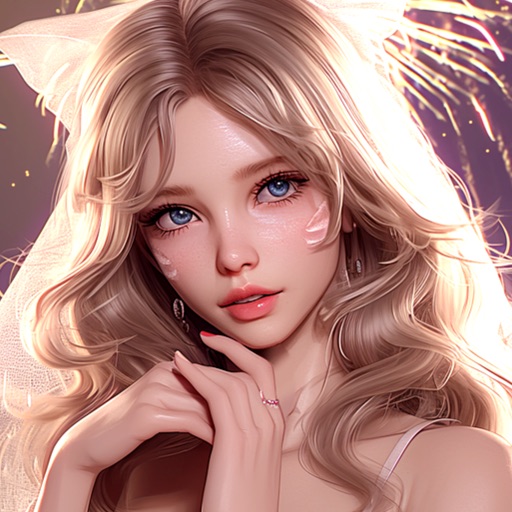
Rosytalk suits users who want steady character companionship, wish to customize conversation tone and voice, need an everyday outlet for emotional expression, and want results in text, image, and voice formats.
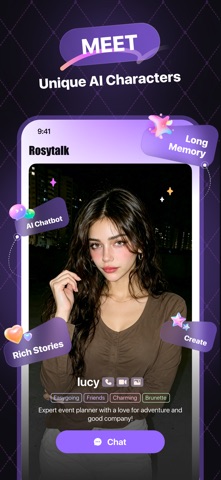
Rosytalk: A Personalized AI Companion App with Custom Characters and Tones
Rosytalk is a personalized AI companion app. You can interact with a wide range of characters — anime characters, lovers, family members, friends — or you can create your own characters from scratch. What separates it from other conversational tools is that its characters are customizable: appearance, chat tone, and voice can all be adjusted, so a single system can carry very different kinds of companionship. It also offers check-in rewards and character outfit features, and the output is not limited to text — it includes images and voice messages. What it delivers is an immersive role-play experience that lets you talk with a character you like at any time and anywhere.
Main Features
Varied Characters and Topics It provides multiple character types, including anime characters, lovers, family members, and friends, and you can select an existing character or create a unique one of your own at any time. The ability to create characters means you are not limited to a preset list.
Deep Customization You can customize a character's appearance, chat tone, and voice to build an AI companion that matches your own expectations. Tone settings often influence the experience more directly than appearance does — tone determines the rhythm and the sense of measure in a conversation.
Emotional Support It offers emotional support that helps you understand and manage your emotions. What it does is serve as everyday emotional sorting, not professional psychological intervention.
Everyday Life or Work It can generate text, images, and voice messages, helping you get relatively timely answers. Having multiple output formats means it is not only for casual chat but also suitable for everyday question-answering purposes.
Fun Role Play It offers an immersive experience, letting you role-play with a character at any time. It is aimed at entertainment and companionship rather than at narrative creation.
Character Outfits You can change a character's clothing and image background to meet personalization needs. This is a fine-grained adjustment, and it does affect the experience of long-term use.
Usage Steps
- Choose or create a character: Pick from the existing characters, or create a new one following your own design.
- Adjust character settings: Set appearance, chat tone, and voice parameters so the character matches what you expect.
- Dress the character: Change clothing and image background as needed.
- Start a conversation: Chat with the character at any time, or enter a role-play scenario.
- Use multi-format output: Have the assistant generate text, images, or voice messages when you need them.
- Use the check-in mechanism: Use the check-in reward feature to keep up your continued usage.
Suitable Scenarios
- You want steady character companionship and someone to talk to at any time
- You want to practice different communication styles through custom tones
- You need a pressure-free outlet for expression and talking things out
- You have everyday question-answering needs and want results in text, image, or voice form
- You have a sustained interest in role-play style content
Limitations and Notes
- AI replies are generated by a model; the content does not represent verified facts, and you should judge any suggestion for yourself.
- Emotional support belongs to the scope of everyday communication and cannot replace professional psychological counseling; if emotional distress persists, seek professional help.
- Immersive role play can easily create emotional dependency, so control the length of use and maintain real-world social contact.
- Interaction with a virtual character has clear boundaries, and its output should not be treated as a real relationship or as a medical basis.
- Generating images and voice involves portrait and voice material, so character customization should be used in a compliant manner.
- Data and privacy protection depend on platform settings; private conversation content should be handled with care.
Frequently asked questions
What can I customize about Rosytalk characters?
Rosytalk lets you customize a character's appearance, chat tone, and voice, and you can also change the character's clothing and image background. You may choose from preset characters such as anime characters, lovers, family members, or friends, or create a unique character yourself. Tone settings have a fairly direct effect on the experience because they determine the rhythm and measure of a conversation.
Can Rosytalk's emotional support replace psychological counseling?
No. Emotional support here belongs to the scope of everyday communication and emotional sorting, and it cannot replace professional psychological counseling. If emotional distress persists or affects daily life, seek professional help. Immersive role play can also easily create emotional dependency, so keep usage time under control and maintain real-world social contact.
What can Rosytalk do besides chatting?
Beyond role-play conversation, the Rosytalk assistant can generate text, images, and voice messages to help you get relatively timely answers, so it also suits everyday question-answering needs. The app additionally provides check-in rewards and character outfit features, the latter serving personalization needs at the visual level.



