

Tavafa is a next-generation AI online design platform that integrates AI generation, AI image retouching, and PS-level pixel refinement. You can generate and modify images through natural language dialogue, then enter the built-in layer-level refinement mode to polish details. The entire process is done on an infinite canvas for free layout. Basic editing features are completely free, and only AI API calls are pay-as-you-go.
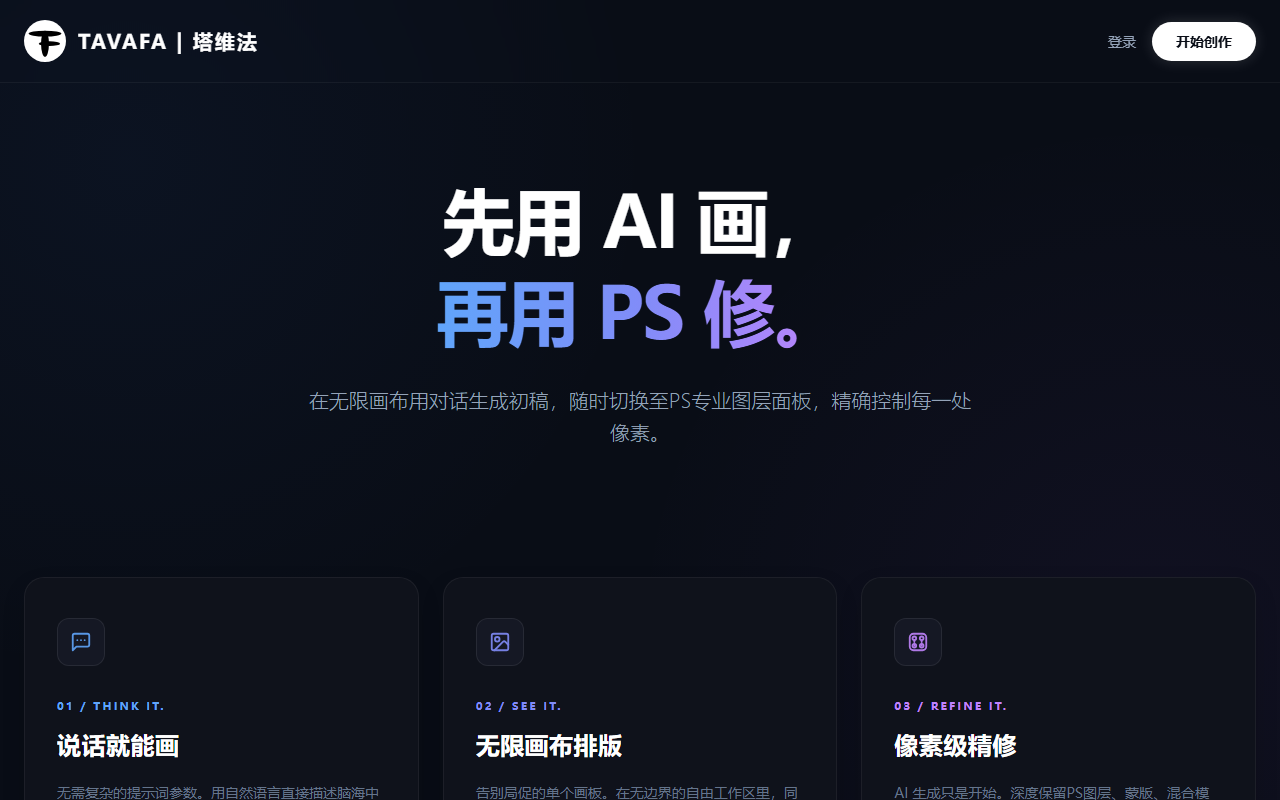
Tavafa is a next-generation AI online design platform that brings AI generation, AI image retouching, and PS-level pixel refinement into the same workspace: first get a draft through natural language dialogue, then enter layer-level refinement to polish details. Layout and scheme comparisons are all done on a single infinite canvas.
In One Sentence
Tavafa = AI Chatbox conversational generation & modification + built-in PS-level pixel refinement + infinite canvas free layout; basic editing features are free, and only AI API calls are pay-as-you-go.
Product Positioning
- Form: A next-generation AI online design platform where one tool covers the complete workflow of "generate — modify — refine — layout."
- Target Audience: Designers, e-commerce and new media operators, brand and marketing personnel who need high-frequency image output, as well as creators looking to reduce switching between different software.
- Differentiation: It is not just an AI tool for "image generation," but retains professional-level image editing capabilities (like the PS professional layer panel) within the same platform.
- Pricing Logic: Adopts a "pay-as-you-go" model, charging only for AI API calls (such as AI large models, background removal, image enhancement, etc.). Basic editing features are completely free, significantly reducing design costs.
Core Features
AI Chatbox: Conversational Generation and Modification
Through natural language description, you can complete image generation, style conversion, and content modification without learning complex parameters. Directly describe the idea in your mind using natural language, and the AI can provide a draft.
Built-in PS Pixel Refinement
Integrates professional-level image editing capabilities, supporting layer-level fine-tuning to meet designers' high standards for details. On the platform, you can switch to the PS professional layer panel at any time, retaining professional features such as layers, masks, and blending modes.
Infinite Canvas Free Layout
Replicates the interactive logic of professional design software, supporting scroll wheel zooming and spacebar dragging, allowing you to freely organize multi-element visual layouts on the canvas. In the boundless free workspace, you can lay out, compare, and seamlessly extend multiple sets of image generation schemes simultaneously.
AI Utility Toolkit
Provides one-click AI background removal, AI sharpening, high-resolution upscaling, and other smart processing tools to quickly optimize image quality.
Smart Reuse of History Records
Supports re-editing and regenerating past generation records. Prompts can be copied and reused with one click for highly efficient creative continuity.
PS Refinement Icon Entry
Since AI can handle most operations, the refinement feature is used less frequently. Therefore, it is tucked away as an icon to keep the interface lightweight and clean.
How to Use Tavafa
- Access the Platform: Open the Tavafa official website https://www.tavafa.com/ , register and log in to your account (the official portal is also listed as http://www.tavafa.com/ ).
- Describe Your Needs: Enter natural language descriptions in the AI Chatbox to quickly generate design drafts or modify existing images.
- Browse the Overall Layout: Use scroll wheel zooming and spacebar dragging on the infinite canvas to freely browse and adjust the overall visual layout.
- Use Tools: If AI enhancement is needed, call tools like one-click background removal, AI sharpening, and high-resolution upscaling (consumes credits on a per-use basis).
- Professional Micro-adjustments: Click the PS Refinement icon entry to enter the pixel-level editing mode for professional micro-adjustments on image details.
Applicable Scenarios
- E-commerce Visual Design: Quickly generate product main images, detail page posters, and event banners. Use AI background removal and PS refinement to achieve pixel-level tuning, and freely lay out multiple image combinations on the infinite canvas.
- Social Media Content Creation: Generate cover images and illustrations for official accounts, Xiaohongshu, short videos, and other platforms. Modify styles with one click via the AI Chatbox, and reuse historical Prompts to achieve a serialized visual consistency.
- Brand Promotion Material Production: Design brand assets like Logos, business cards, posters, and roll-up banners. After AI generates the draft, enter the PS refinement mode to polish details, ensuring the output meets brand standards.
- Advertising Marketing Material Mass Production: Quickly generate multi-version ad images for placement needs, and use the infinite canvas to compare different schemes side-by-side. Pay only for AI generation and enhancement calls to control mass production costs.
- UI/Product Prototype Design: Build product interface prototypes or App screenshot packages on the infinite canvas. AI generates auxiliary visual elements, while PS refinement ensures pixel-level alignment and texture for the interface.
- Image Restoration and Quality Enhancement: Apply AI sharpening and upscaling to low-resolution assets, old photos, or blurry screenshots, and then combine with PS refinement to restore details.
- Illustration and Graphic Output: Use the free, unlimited AI canvas to generate vector art, icons, 3D images, and illustrations, and refine them as needed.
Advantages
- Pay-as-you-go, Controllable Costs: Only AI computing APIs (such as large model generation, background removal, sharpening, etc.) are charged; basic editing features are completely free.
- Integrated Design Workflow: From AI generation to PS refinement, there is no need to switch back and forth between browsers and professional software.
- Zero Learning Curve: Replicating PS layer logic and professional canvas interactions allows designers to adapt quickly.
- Lightweight Interface, Efficient Operation: Low-frequency refinement features are tucked away as icons, while high-frequency AI capabilities are front-and-center, keeping the interface uncluttered.
- Traceable History: Completely saves generation records, supporting backtracking, reuse, and secondary creation at any time.
- Higher Creative Freedom: No need for complex prompt parameters. Describe your ideas in natural language to get a high-quality draft, making inspiration instantly visible.
Limitations and Things to Know Before Use
- Refinement Entry is Somewhat Hidden: PS refinement is tucked away as an icon and used less frequently. New users may need to familiarize themselves with the interface first to find it.
- AI Capabilities Have Costs: Generation, background removal, sharpening, and upscaling are all AI calls that consume credits on a per-use basis. It is recommended to estimate usage before mass-producing images.
- Requires Internet Connection: As an online design platform, the working process relies on a network connection.
- Subject to Official Website: The public fact sheet does not disclose specific pricing, free quota limits, export formats, or collaboration features. This article makes no assumptions about them.
Pricing and Availability Verification Notice
Tavafa adopts a "pay-as-you-go" model: it only charges for AI API calls (such as AI large models, background removal, image enhancement, etc.), and basic editing features are completely free. Since pricing, credit rules, and feature availability may change at any time, this article does not provide any specific amounts or quota figures. Before starting, please visit the official website http://www.tavafa.com/ to verify the latest rates, credit consumption methods, and account rights.
Frequently Asked Questions (FAQ)
Is Tavafa free?
Basic editing features are completely free; AI API calls (AI large models, background removal, image enhancement, etc.) are pay-as-you-go. Please refer to the official website for specific rules.
What is the difference between it and ordinary AI image generation tools?
The difference is that PS-level pixel refinement is retained within the same platform: after AI generation, you can make fine adjustments at the layer level and layout on the infinite canvas without exporting to another professional software.
Can people who are not familiar with professional retouching software use it?
Yes. Most daily operations are handled by the AI Chatbox; the refinement feature is tucked away as an icon and can be entered into the pixel-level editing mode when needed.
Do I need to install software?
No. It is an online design platform that can be used by accessing the official website via a browser, registering, and logging in, but it requires an internet connection.
Can previously generated images be modified again?
Yes. The history records support re-editing and regenerating, and Prompts can be copied and reused with one click.
Alternative Solutions
The public fact sheet does not list specific competitor names, so no direct brand comparisons are made here. When selecting, you can refer to the following judgment dimensions:
- If the core need is a 3-in-1 solution for "AI image generation + pixel-level refinement + canvas layout," Tavafa's positioning fits perfectly.
- If you only need quick image generation without layer-level refinement, you can focus on pure AI generation online tools.
- If the team already has mature professional desktop software and asset libraries, it can be used as a front-end step for quickly generating drafts before returning to the existing workflow for finalization.
- If cost-sensitive, first compare the difference between "pay-as-you-go AI calls" and "subscription" models, and verify actual rates on the official website.
Regardless of which type of solution is chosen, it is recommended to additionally evaluate export formats, collaboration capabilities, and asset copyright, which are not covered in the fact sheet.
First-hand Information and Official Website
- Tavafa Official Website: http://www.tavafa.com/ (also written as https://www.tavafa.com/ in the operation steps)
- Official Slogan: "First draw with AI, then retouch with PS." —— www.tavafa.com
Frequently asked questions
Is Tavafa free?
It adopts a 'pay-as-you-go' model: it only charges for AI API calls (such as AI large models, background removal, image enhancement, etc.), and basic editing features are completely free. Since pricing and credit rules may change, please check the official website http://www.tavafa.com/ for the latest information.
What is the difference between Tavafa and ordinary AI image generation tools?
It retains PS-level pixel refinement within the same platform: after AI generates or modifies an image, you can switch to the PS professional layer panel at any time for layer-level fine adjustments and freely layout on the infinite canvas without switching back and forth between browsers and professional software.
Can people who are not familiar with professional retouching software use Tavafa?
Yes. Most operations are completed by the AI Chatbox via natural language, without learning complex parameters. PS refinement is tucked away as an icon in the interface; click to enter the pixel-level editing mode for professional micro-adjustments when needed.
Do I need to install software to use Tavafa?
No installation is required. It is a next-generation AI online design platform. Access the official website https://www.tavafa.com/ to register and log in, but as an online tool, it requires an internet connection.
Can previously generated images be re-edited?
Yes. The history records support re-editing and regenerating past records, and Prompts can be copied and reused with one click, making it easy to continue the same series of creative work.
What are the characteristics of the infinite canvas in use?
It replicates the interactive logic of professional design software, supporting scroll wheel zooming and spacebar dragging, allowing you to simultaneously lay out, compare, and seamlessly extend multiple sets of image generation schemes in a boundless free workspace.



