

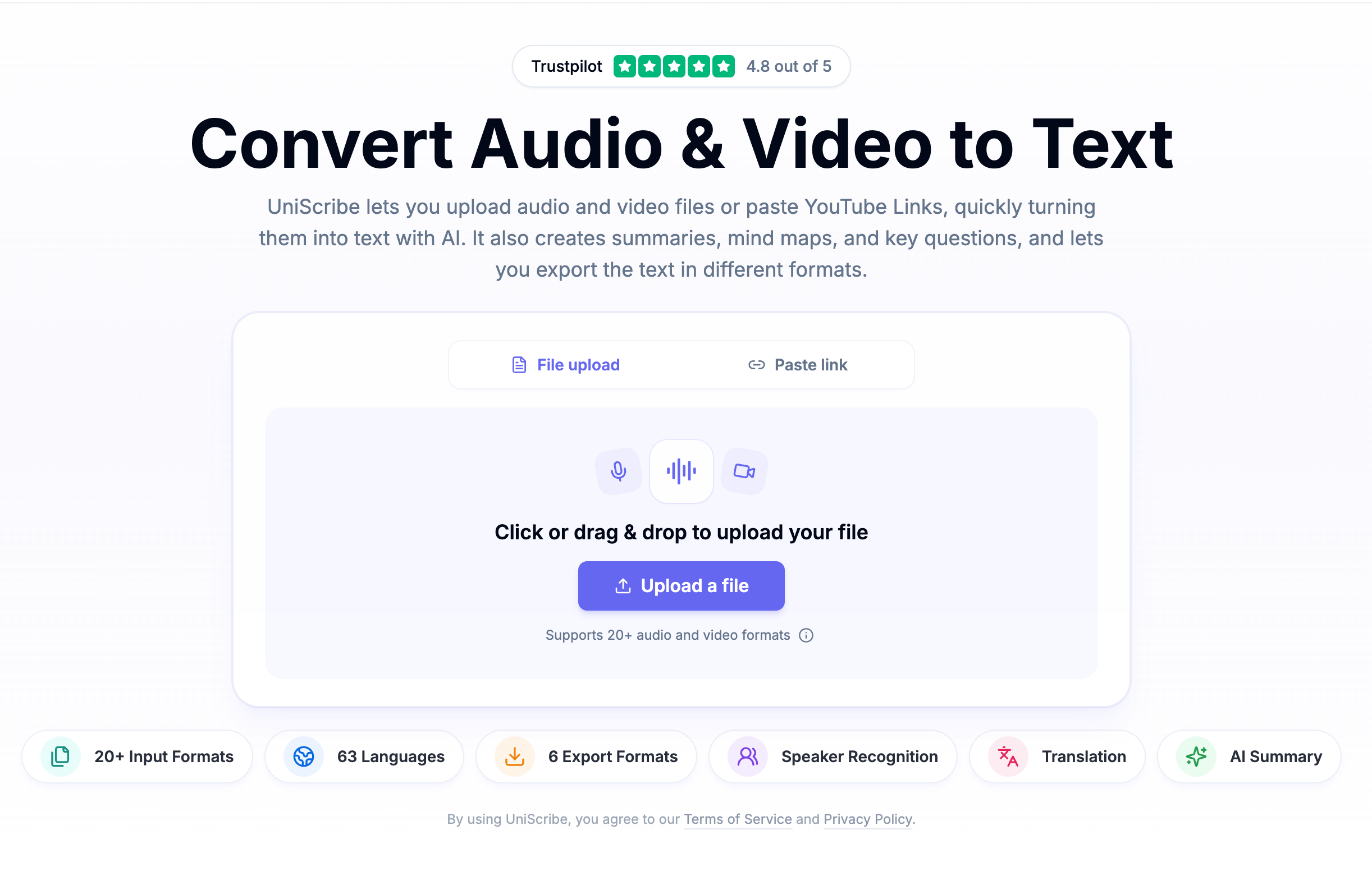
UniScribe is an online AI transcription tool. Upload a local audio or video file, or paste a YouTube link, and it returns a timestamped transcript plus auto-generated summary, mind map, and key Q&A. You can export transcripts as TXT, DOCX, PDF, SRT, VTT, CSV, or create a share link.
The Complete UniScribe Guide: Turning Audio and Video into Searchable Text, Summaries, and Mind Maps
UniScribe works on a simple idea: you have a recording, a video, or a YouTube link, but what you actually need is text that can be searched, quoted, and reused. The tool reduces the process to three steps: upload, transcribe, and export.
Quick Answer
UniScribe is an online AI audio/video-to-text platform with a free tier. It supports uploading local files or pasting YouTube links, quickly converts audio or video into text, and automatically generates a content summary, mind map, and key Q&A.
What Is UniScribe?
UniScribe is an online transcription tool that runs in your browser. Its official website is https://www.uniscribe.co/. Its target users are not subtitle engineers but content creators, journalists, researchers, teachers, and people who need to organize meeting recordings — people who care more about quickly turning information into editable, searchable text than about every frame of the audio track.
Compared with transcription tools that only output plain text, UniScribe's differentiator is one-stop summarization: in addition to the transcript, it provides a summary, a visual mind map, and key Q&A.
Core Features
AI Audio/Video Transcription
Upload a local audio or video file, or paste a YouTube link, and the AI automatically recognizes speech and converts it into a timestamped transcript. Official materials mention support for MP3, WAV, M4A, MP4, MOV, and 20+ other formats.
Smart Content Summarization
Each transcription also produces a text summary, a visual mind map, and key Q&A, so you can grasp the core information without reading the full text word for word.
Multi-Format Export and Sharing
You can export to TXT, DOCX, PDF, SRT, VTT, CSV, and other formats, covering subtitle, document, and spreadsheet use cases. You can also generate a share link so others can view the transcript directly.
Speaker Recognition and Batch Processing
According to public materials, paid plans support automatic speaker recognition and batch upload of up to 50 files for simultaneous processing. The single-file limit is described differently in different sources; see “What to Verify” below.
AI Translation
Transcripts can be translated with one click. Chinese materials say the tool supports translation between 98 languages, which is convenient for cross-language processing and localization.
How to Use UniScribe
- Visit the official website and log in: Open https://www.uniscribe.co/, register, and log in.
- Upload or paste a link: Drag a local audio or video file into the upload area, or paste a YouTube URL.
- Start transcription: Click the “Transcribe” button and wait for the AI to process it.
- View and edit: Review the timestamped transcript online and browse the auto-generated summary, mind map, and key Q&A.
- Export or share: Download the file in your preferred format, or copy the share link and send it to others.
Use Cases
- Podcasts and content creation: Turn recorded podcasts and interviews into transcripts for show notes, blog posts, and quotable excerpts.
- News interviews: Upload an interview recording to get a complete written record, and use timestamps to jump back to the exact quote.
- Academic research and study: Convert lecture, seminar, and course videos into text and key points for review and note-taking.
- Meeting notes: Process recordings from Zoom, Teams, or phone calls and identify speakers to create structured meeting summaries.
- Multilingual content localization: After transcription, use the AI translation feature to create multilingual subtitles or documents.
- Voice memos and idea capture: Turn voice memos from your phone into text notes that can be searched, edited, and shared.
- YouTube content repurposing: Paste a YouTube link to get the video transcript without downloading anything, which is useful for research, subtitles, or repurposing content.
Strengths
- Low barrier with a free tier: After registration, you can transcribe 120 minutes per month for free.
- Fast: According to the official site, a 1-hour audio file is usually transcribed in less than a minute.
- Outputs are more than text: Summaries, mind maps, and key Q&A are generated automatically, reducing the need for a second round of processing.
- Wide export coverage: Subtitle formats (SRT, VTT), document formats (DOCX, PDF, TXT), and spreadsheet format (CSV) are all included.
- Long-form friendly: Paid plans support larger single files and batch uploads, which suits long meetings and podcasts.
Limitations and Things to Keep in Mind
- Free plan limits are noticeable: The maximum file length is 30 minutes, you can upload one file at a time, and you can transcribe up to 3 files per day; the free plan uses the basic transcription model and keeps media files for 30 days.
- Advanced features are paid: Speaker recognition and batch upload of 50 files are paid features.
- AI output should be reviewed: Summaries, mind maps, and key Q&A are generated by AI. Before publishing or formally citing them, check them against the original audio or video.
- It is an online tool: Processing is completed in the browser, so consider whether it is appropriate to upload sensitive content.
What to Verify
A few parameters are described inconsistently in public materials. Check the current information on the official website:
- Language count: Chinese materials say “98-language recognition,” while English materials say “63 languages.” The two have not been reconciled.
- Single-file limit: Chinese materials say paid plans support files up to 10 hours / 5 GB per file, while another English source says 5 hours / 5 GB per file.
Pricing and Quota Verification
The following quota and price figures come from public materials and are for quick reference only. Verify them on the official website before making any payment decision:
- Free plan: 120 minutes of transcription per month; 30 minutes max per file; 1 file at a time; 3 files per day; basic transcription model; exports Word, CSV, PDF, TXT, SRT, VTT; 30-day media retention.
- Paid plan (one tier): 1,200 minutes of transcription per month; $10 per extra 500 minutes; 5 hours / 5 GB max per file; batch upload 50 files at a time; no daily file limit; premium transcription model; Claude and ChatGPT integration (New); no media retention limitation.
- Paid plan (another tier): 3,000 minutes of transcription per month; $15 per extra 1,000 minutes.
Prices, quotas, feature ownership, and availability can change. The source material also does not provide complete names or all details for each paid plan. For the final information, see the official https://www.uniscribe.co/ page.
Alternatives and How to Choose
If UniScribe is not an exact fit, consider these categories of alternatives instead of focusing only on the word “transcription”:
- Locally run speech recognition tools: Suitable if you are concerned about sending data externally and are willing to set up your own environment; you take responsibility for accuracy tuning and hardware costs.
- Professional subtitle editing software: A better fit when you need to check timestamps sentence by sentence, adjust line breaks, and typeset multilingual subtitles.
- Meeting note tools: Choose these when your main needs are meeting scheduling, collaboration, and action-item tracking, rather than simply converting speech to text.
- Speech APIs for developers: Suitable for teams that want to embed transcription into their own products or workflows.
When comparing tools, verify the same set of criteria: language coverage, maximum file duration and size, whether export formats include SRT/VTT/DOCX/CSV, speaker recognition, maximum batch size, file retention policy, and how overage is billed.
Official Website and Primary Sources
- Official website: https://www.uniscribe.co/
- Official page “Convert Audio & Video to Text”: https://www.uniscribe.co/ (publisher: www.uniscribe.co)
FAQ
Is UniScribe free?
It has a free tier: after registration, you get 120 minutes of free transcription per month, subject to limits of 30 minutes per file, one file at a time, and up to 3 files per day.
What formats can I export after transcription?
TXT, DOCX, PDF, SRT, VTT, CSV, and more. You can also generate a share link so others can view the transcript directly.
Can I transcribe a YouTube video directly?
Yes. Paste the YouTube link and start transcription; you do not need to download the video first.
Frequently asked questions
Is UniScribe free? How much free quota is there?
UniScribe has a free tier. According to public materials, after registration you can transcribe 120 minutes per month for free, but with clear limits: 30 minutes max per file, one file at a time, and up to 3 files per day. The free plan uses the basic transcription model and retains media files for 30 days. Quotas and rules may change, so check the official website.
How many languages does UniScribe support?
Public materials are inconsistent: Chinese materials say it supports 98 languages for recognition and translation, while English materials say 63 languages. Before paying, confirm the current language list on the official website https://www.uniscribe.co/
What export formats does UniScribe support?
You can export TXT, DOCX, PDF, SRT, VTT, CSV, and more, covering subtitle, document, and spreadsheet needs. You can also generate a share link so others can view the transcript directly.
Can I transcribe a YouTube video directly? Do I need to download it first?
No download is needed. Paste the YouTube link into the upload area and UniScribe generates the transcript, which is useful for research, subtitles, or repurposing video content.
What extra capabilities do paid plans have compared with the free plan?
According to public materials, paid plans provide more monthly transcription time, overage billing at $10 per extra 500 minutes or $15 per extra 1,000 minutes, a premium transcription model, speaker recognition, batch upload of 50 files at a time, no media retention limit, and Claude and ChatGPT integration. Note that the single-file limit appears as both 5 hours / 5 GB and 10 hours / 5 GB in different sources; complete plan names and prices must be confirmed on the official website.
Do transcripts and automatically generated summaries need manual review?
Yes, review is recommended. The transcript and the auto-generated summary, mind map, and key Q&A are AI outputs, and the source material does not provide a unified accuracy figure. If the content will be published, formally cited, or used in legal or compliance scenarios, check it against the original audio or video.



