

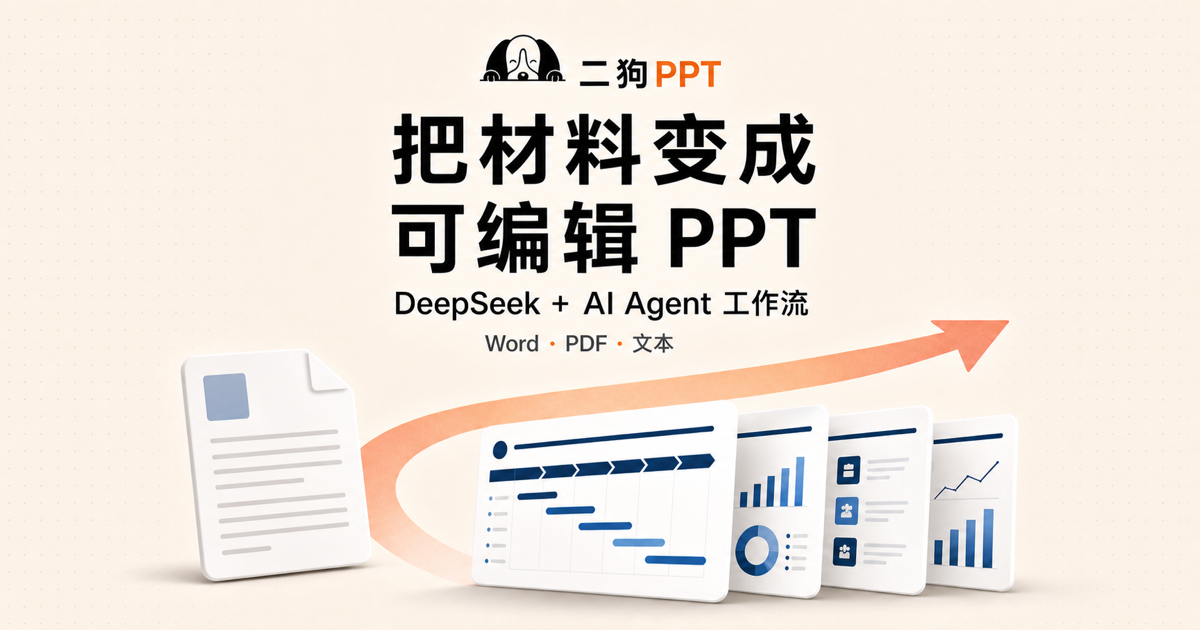
2DogPPT is a Chinese slide-generation tool aimed at formal corporate reporting rather than visual spectacle. You upload a document or paste text, the agent builds a workplace-shaped outline, you pick a restrained template, and it exports PPTX that opens in PowerPoint, WPS Office and Keynote. Its selling point is rewriting stiff machine prose into language a manager can read aloud without flinching.
What it is
Most AI slide tools share one flaw: the pages look fine, but the copy reads like a machine wrote it. Stacked parallel clauses, adjectives doing no work, every slide about empowerment and levers. That passes an internal skim; it does not survive being read aloud in a state-owned enterprise meeting room.
2DogPPT aims squarely at that gap. It positions itself as a Chinese-workplace generator with the AI flavour removed, running DeepSeek V4 plus a proprietary agent scheduling layer, with templates and logic tuned for state-owned enterprise reporting, traditional-industry reviews and vendor proposals.
Main features
- Human-grade rewriting: the model plus agent turns stiff AI phrasing into sentences that read as if a person drafted them.
- One-step document parsing: upload Word, PDF, Excel or PPT and it extracts the full text into a workplace-shaped outline. When a briefing lands on your desk the night before, this is the step that saves the most time.
- Workplace templates: built for enterprise reporting, vendor proposals, annual reviews and business plans, deliberately sober rather than animated.
- Conversational editing: polish, expand or translate, with card-level editing so you change the one paragraph you meant to change instead of regenerating the page.
- Format-neutral export: standard PPTX compatible with Microsoft PowerPoint, WPS Office and Keynote.
How the workflow runs
Give it input. Paste text, upload a document, or describe the brief precisely, for example an annual safety review for a municipal contractor presented to the group leadership team.
Fix the outline. The agent produces a structured outline following workplace logic, and card editing lets you reorder sections and shift emphasis. This is where the effort belongs: get the outline right and the rest follows.
Template, polish, export. Pick a restrained template, use the conversational assistant on the wording, export PPTX. Entry is through the 2DogPPT site, with registration and a partial free trial.
Pricing
Per use, with credits consumed per page that never expire. The vendor states plainly that there is no monthly plan, no subscription, and no throttling of speed or model quality. For someone presenting a handful of times a year that beats a subscription, because you do not pay for idle months.
Unit price, credits per page and what the free trial covers are not fixed in the public materials, so check inside the product.
How it compares
Against Gamma, the difference is not generation speed but context. Gamma's minimalist look works well in internet companies and foreign-owned firms; in a state-owned enterprise review it reads as insubstantial. Against Meitu AI PPT or the AI inside WPS, those tools offer broader template libraries but treat the AI flavour as acceptable. 2DogPPT stakes everything on the Chinese workplace side, and the cost of that bet is a narrower stylistic range.
Caveats
- A visible style ceiling: the templates stay sober, so brand launches and creative pitches that need impact are the wrong job for it.
- Less AI flavour is not fewer AI errors: the prose sounds human, which says nothing about factual accuracy. Figures, policy wording and job titles still need page-by-page checking.
- Do not stockpile credits: even though they never expire, buy the smallest pack first if you present two or three times a year.
- Watch the URL: search results often lead to redirect pages, so go directly to www.2dogppt.com and avoid topping up on lookalike sites.
- Complex layouts still need hands: charts, multi-level org structures and long tables almost always need repositioning in PowerPoint afterwards.
Frequently asked questions
How is it priced?
Per-page credits that never expire, no subscription, with a partial free trial.
Which formats are supported?
Word, PDF, Excel and PPT in, standard PPTX out.
Can I edit the result in WPS?
Yes, the PPTX works with PowerPoint, WPS Office and Keynote.
Who is it for?
Enterprise and traditional-industry staff, vendor pre-sales, slide writers and last-minute presenters.
Frequently asked questions
How is it priced?
Per use: credits called dog food are consumed per page and never expire, with no monthly plan and no subscription. The site offers a partial free trial. Exact unit price and credits per page are not published in the materials, so confirm in the product.
Which formats can I upload?
Word, PDF, Excel and PPT for input, with standard PPTX for output. You do not retype existing material, which is the point for people handed a deadline overnight.
Can the export be edited in WPS?
Yes. The PPTX is stated to work with Microsoft PowerPoint, WPS Office and Keynote, so it is not locked into a closed format and can be reworked afterwards.
What does less AI flavour mean in practice?
Two things: rewriting mechanical AI phrasing into something closer to human speech, and choosing templates that are sober rather than flashy. The acceptance test is whether you can present it unchanged, not whether it looks striking.
Who is it for?
Staff at state-owned and traditional enterprises, vendor pre-sales and project managers, professional slide writers and anyone told at short notice to present tomorrow. It is not aimed at launch events or creative pitches that need visual impact.



