

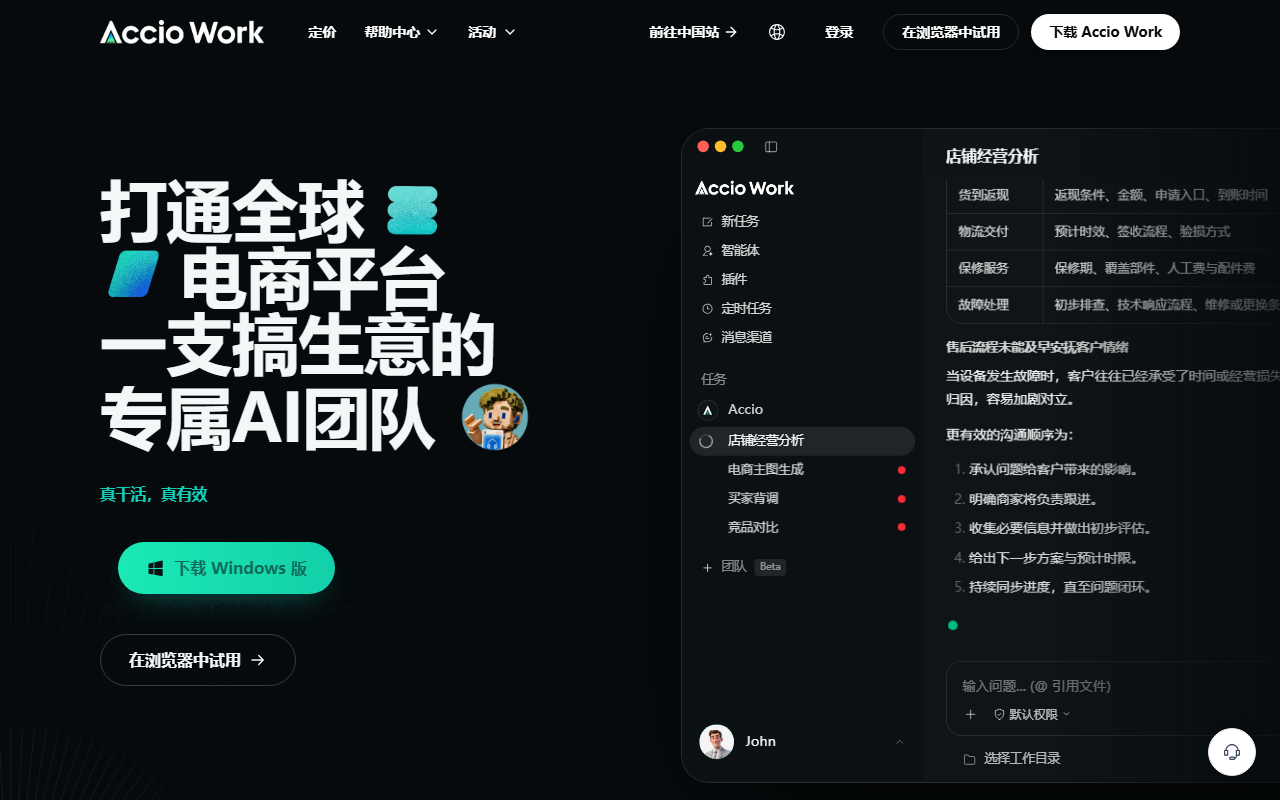
Accio Work is an AI agent platform for small businesses and cross-border commerce teams. It can assist with product sourcing, Shopify operations, supplier communication, marketing, and recurring monitoring workflows.
Accio Work: AI agents for cross-border commerce
Overview
Accio Work is an AI agent platform for small businesses and teams handling cross-border commerce. Users describe a task in natural language, and agents can assist with market research, product selection and pricing, product images and listing copy, Shopify store setup, social promotion, and supplier communication. The platform offers specialized skills, third-party app connections, and remote control through messaging channels such as WeChat, DingTalk, Feishu, Telegram, and Discord.
Listed commerce capabilities include sourcing through 1688, image-based product search, and supplier discovery. Agents can also help organize quotes or contact suppliers by email. Multiple agents can divide a larger workflow. For recurring work, users can monitor competitor prices, exchange rates, or market updates and receive reports through a chosen messaging channel. App connections and scheduled tasks require configuration and permissions.
Main capabilities
Store workflow assistance
An agent can help prepare a Shopify store, create product images, draft product details, and organize listing content. Before publishing to a live store, review product facts, prices, images, and requirements in the target market.
Product sourcing and supplier outreach
The listed tools include 1688 sourcing, image search, and supplier discovery. Agents can help compare quotes and prepare or send email inquiries. Before an external message, negotiation, purchase commitment, or order, verify recipients, terms, and task boundaries.
Marketing and monitoring
Agents can help draft product descriptions and social posts; scheduled publishing is described for supported channels. Users can also set recurring checks for competitor prices, exchange rates, or market changes. Review accuracy, brand requirements, and platform rules before publication.
App connections and agent teamwork
Product information lists connections such as Gmail, Instagram, and GitHub, along with a broader app catalog. Multiple agents can divide complex work. Users must connect and authorize third-party services; available apps and actions depend on account settings and permissions.
Local operation and permissions
Accio Work describes a local-first mode that can run on the user’s device and keep data there. It also describes sandbox isolation and permission choices: automatic approval, ask each time, remember a choice, or always deny. During setup, users configure agent access to files, the terminal, and the browser. Grant only the access needed and review actions that can change data, send messages, or affect a live store.
Getting started
- Download the Windows or Mac desktop client from the Accio Work website.
- Install it, register or sign in, and open the workspace.
- Create an agent; a general assistant template can be a starting point.
- Describe the goal, scope, and checkpoints that require human review.
- Connect required services in the app authorization area and inspect permissions.
- Install relevant skills, such as sourcing, supplier discovery, or social publishing.
- Configure a supported messaging channel or scheduled task only when needed.
- Review results and permissions before publishing, emailing, changing prices, or placing orders.
Suitable scenarios
Accio Work is positioned for small businesses and teams managing international sales. It may assist with market research, product selection, supplier information, store content, social copy, and recurring market monitoring. Agents can take different steps, while messaging integrations help users check progress. Keep human review and explicit authorization for external communications and real transactions.
Limits and considerations
Available skills, app connections, and actions may vary by account, region, authorization status, and product version. Third-party apps require manual connection and permission grants. Users also configure access to files, terminal, and browser resources. Check generated content, price suggestions, and supplier information before use. Before starting an automation, understand where data is processed, what permissions each connection receives, and which external actions may occur.
Frequently asked questions
Who is Accio Work for?
It targets small businesses and cross-border commerce teams needing support with research, sourcing, store content, suppliers, or marketing.
Can it operate Shopify or Gmail directly?
Product information describes app connections and related workflows. Connect each service manually, review its permissions, and confirm actions available to your account.
Can multiple agents collaborate?
Yes. Agents can split complex work. Define boundaries and review each agent’s permissions, inputs, and outputs.
Does local-first mean data never leaves the device?
The product describes local operation that can keep data on the device. Authorized services or remote channels may still transfer data, so check your configuration.
Frequently asked questions
Who is Accio Work for?
It targets small businesses and cross-border commerce teams that need help with research, sourcing, store content, supplier communication, or marketing.
Can it connect to Shopify or Gmail?
Product information lists third-party app connections. Users must connect services and grant permissions; available actions depend on the account and setup.
Can several agents work together?
The platform supports agents dividing work. Define task boundaries and review permissions, inputs, and results.
Does local-first mean all data always stays on the device?
The product describes a local mode, but authorized apps and remote messaging may involve data transfer. Check the actual configuration and data flows.



