
AI Music Academy is a music-learning app aimed at beginners: pitch recognition and interactive AI video judge your intonation and rhythm, then adjust what you practise next, while required, elective and Pro course tracks, song-based custom lessons, and a built-in tuner, metronome and chord library cover guitar, ukulele and piano on a phone.
AI Music Academy: learn guitar, ukulele and piano with AI-assisted practice
What it is
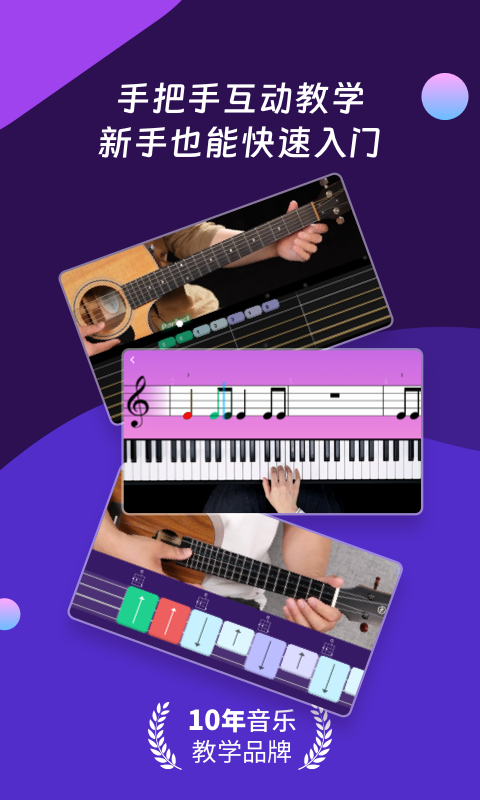
AI Music Academy is a music-learning app that gathers beginner and intermediate material for guitar, ukulele, piano and other common instruments in one place. Its core is pitch recognition combined with interactive AI video: while you play, the app judges intonation and rhythm, gives feedback and adjusts what comes next. That means a complete beginner can keep practising without a teacher sitting beside them. Courses are layered into required, elective and Pro tracks, and song-based lessons let you pick a version that fits your level and vocal range. A tuner, metronome and chord library are built in, so you do not have to jump between apps during a session.
Key features
- AI interactive teaching: pitch recognition and interactive AI video assess your playing and adjust the learning content in real time, so a shared curriculum follows your actual level.
- Song-based custom courses: turn a song you want to learn into a course, with different difficulty levels plus male and female vocal versions for singing while playing.
- Structured curriculum: required, elective and Pro tracks spanning beginner to advanced material, with several styles and focused drill lessons.
- Instructor-led lessons: courses are designed and taught with experienced instructors and split into segments that suit online learning.
- Practice utilities: tuner, metronome and chord library sit inside the app and are ready before and after each session.
How to use it
- Install the app, create an account and choose your main instrument: guitar, ukulele or piano.
- Take the intro assessment or start the first required lesson to confirm the level you should be working at.
- Practise along with the lesson video and let the app capture your playing to see intonation and rhythm results.
- Repeat the weak bars the feedback points to, or move into elective and Pro lessons for the technique you need.
- To learn a specific song, open a song-based course, choose the track, difficulty and vocal version, then work through it section by section.
- Tune up before practising, hold tempo with the metronome, and open the chord library when you need a voicing.
Who it suits
- Adults with no musical background who want to learn an instrument in short sessions.
- Learners with some experience who are stuck on a technique and need the assessment to locate the problem bars.
- People who want to sing while playing and need a version that fits their range.
- Routine intonation and rhythm training alongside the tuner and metronome.
Limitations
- Assessment relies on the device microphone; a noisy room or loud speaker playback can make results unreliable, so headphones or a quiet space help.
- Available songs, instruments and styles depend on what the app currently offers; tracks outside that library cannot be turned into lessons.
- AI feedback supports practice but does not replace a teacher correcting posture and hand shape in person.
- Course range, Pro content and payment terms follow the in-app description.
FAQ
Can I use it with no musical background at all?
Yes. The required track starts from the basics, and AI assessment adjusts the pace to how you actually play, so you do not need to read music before starting.
Do I need extra gear?
You need an instrument that plays properly and a phone or tablet that can capture sound. The tuner, metronome and chord library are already inside the app.
What if the assessment seems inaccurate?
Check microphone permission and background noise first, then try headphones, lower speaker volume or a quieter room. You can repeat the same passage and take a stable result as your reference.
Frequently asked questions
Can I use it with no musical background at all?
Yes. The required track starts from the basics, and AI assessment adjusts the pace to how you actually play, so you do not need to read music before starting.
Do I need extra gear?
You need an instrument that plays properly and a phone or tablet that can capture sound. The tuner, metronome and chord library are already inside the app.
What if the assessment seems inaccurate?
Check microphone permission and background noise first, then try headphones, lower speaker volume or a quieter room. You can repeat the same passage and take a stable result as your reference.



