
Google AI Edge Gallery is Google's experimental open-source app that runs generative AI models locally on phones. After downloading an on-device model such as Gemma 3n from Hugging Face you can chat, ask questions about images, transcribe audio and generate code with no connection, because all processing stays on the device.
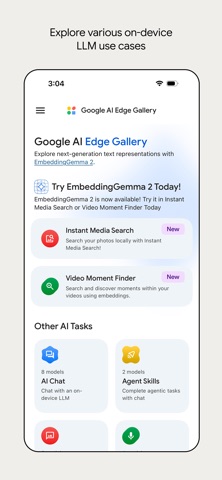
Google AI Edge Gallery: generative AI on your phone, even offline
Product Overview
Google AI Edge Gallery is an experimental open-source app from Google that lets Android and iOS devices run generative AI models directly on their own hardware, including Gemma 3n. Unlike cloud-based assistants, it keeps inference on the phone: you browse and download on-device models from Hugging Face, and afterwards you can chat, ask questions about images, transcribe audio and generate code without any connection, because the data never leaves the device.
For privacy-conscious users and for developers who want to test on-device AI, the app works as a ready-made playground. A built-in metrics panel reports time to first token (TTFT), decode speed and memory usage, while on-device function calling lets a model invoke local tools and functions, turning the phone into a privacy-first assistant.
Key Features
On-device offline inference: Run generative models such as Gemma 3n entirely offline on a phone, so chat, question answering and code generation keep working without a network connection.
Multimodal interaction: Text chat, image understanding with visual questions, audio transcription and code generation are all available in a single app.
Model discovery and management: Connect to Hugging Face, browse, filter and download open models that are suitable for running on a mobile device.
Privacy-first design: Every inference step happens locally, so sensitive content never needs to be uploaded to a cloud service.
Live performance metrics: A built-in dashboard reports time to first token, decode speed and memory usage in real time.
On-device function calling: Models can call local tools and functions on the device, enabling smarter automated workflows.
Cross-platform support: Available for both Android and iOS with a native mobile experience.
How to Use Google AI Edge Gallery
- Install the app: get Google AI Edge Gallery on an Android or iOS device and finish the short permission setup on first launch.
- Browse models: open the model list to see open models from Hugging Face that suit on-device use, and filter by name, size or capability.
- Download a model: pick a model such as Gemma 3n and download it to the device. This step needs a connection; afterwards the model stays on the phone.
- Choose a task mode: switch between AI chat, image Q&A, audio transcription and code generation.
- Run inference locally: type a prompt, upload an image or select an audio file. Everything is processed on the device and keeps working in airplane mode.
- Check the metrics: open the performance panel to read time to first token, decode speed and memory usage on your hardware.
- Try function calling (optional): enable on-device function calling so the model can invoke local tools for more complex automation.
Use Cases
- Privacy-sensitive work: contracts, medical notes or internal documents that should not go to a cloud service can be summarised and analysed on the phone.
- Validating on-device AI: developers can measure model size, latency and memory on real hardware before choosing a model for an app.
- Offline and weak-network settings: travel, field work or flights where connectivity is unavailable or not allowed still allow AI chat and document handling.
- Learning and research: compare different open models on the same phone to understand the practical limits of on-device inference.
Limitations
- The app is experimental and open source, so features and interface may change between releases.
- Real performance depends on the phone's chipset and memory; larger models need more powerful hardware.
- Models must be downloaded over a connection before they work offline, so plan for storage space.
- Limited by device compute, on-device models usually trail cloud models on complex reasoning and breadth of knowledge, so verify important output.
Frequently asked questions
What is Google AI Edge Gallery?
It is Google's experimental open-source app that runs generative AI models such as Gemma 3n locally on Android and iOS devices, so chat, image Q&A, audio transcription and code generation work without a connection.
Does it work without internet?
Yes. Once a model is downloaded from Hugging Face it stays on the device and inference runs offline; only browsing and downloading models require a connection.
Which devices are supported?
Android and iOS. The experience depends on the chipset and memory of the device, and larger models need more powerful hardware.
Is my data uploaded anywhere?
No. The app is designed privacy-first: inference and data processing happen on the device, so sensitive content does not need to leave it.



