

JoyPix is a digital human and speech synthesis tool: upload one photo to create a speaking avatar, drive the lips with text, audio or a recording, and export a lip-synced video. It includes voice cloning from about ten seconds of audio, text to speech with more than ten languages and over forty voices, a preset avatar library and avatar starting points such as anime-style renders and a public avatar library. It fits talking-head production without appearing on camera and multilingual content. Pricing and commercial licensing are not disclosed.
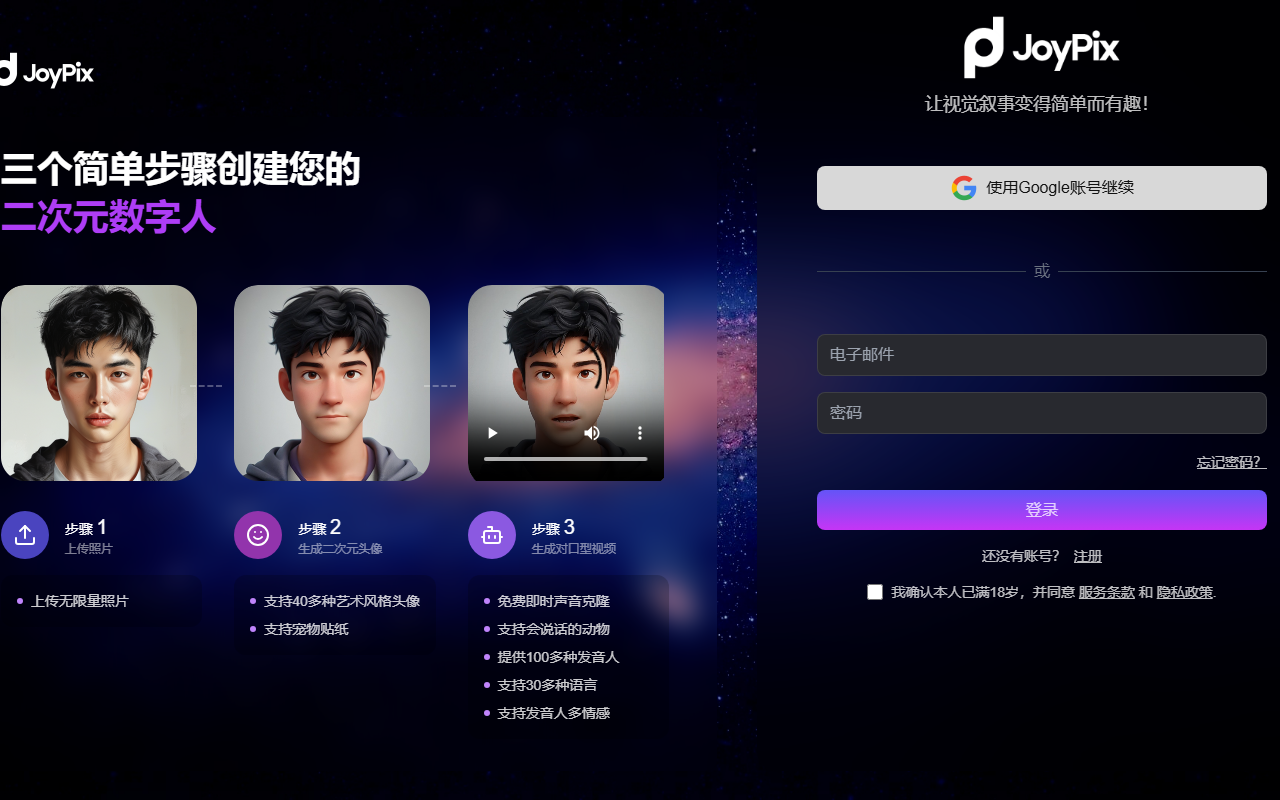
JoyPix: turn one photo into a talking avatar and clone a voice from 10 seconds of audio
JoyPix is an AI creation tool built around digital humans and speech synthesis. Upload a single photo and you get an avatar that can speak; type text, upload audio or record on the spot, and the service renders a video with the lips matched to the voice. To sound more like yourself, supply roughly ten seconds of audio for voice cloning. The platform also bundles text to speech with more than ten languages and over forty voice options, plus a library of ready-made avatars.
The usual bottleneck in avatar video is the shoot: a person on camera, lighting, a teleprompter and retake after retake. JoyPix replaces that stage with generation. One photo plus one audio track produces a lip-synced clip, so for accounts that publish the same kind of talking-head piece every day, the saving is the entire capture and retake block, not a few seconds of editing.
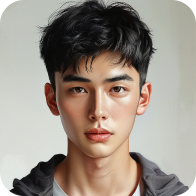
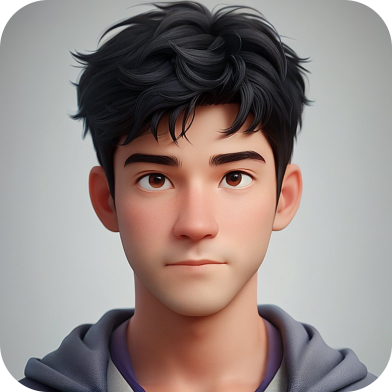
The audio side is simplified the same way. Voice cloning needs about ten seconds of sample audio, after which any text can be read in a voice close to the original speaker. If you would rather not clone, text to speech offers more than ten languages, multiple emotional styles and over forty voices. On the visual side there are three starting points: your own upload, a stylised anime-style render, or a pick from the public avatar library.
The boundaries are worth stating plainly. This is a photo-driven talking-head tool, not a full video editor. Performance is concentrated on the face, lip movement and upper body, and the source does not describe complex camera moves, multi-person interaction or full-body action. The exact language and voice lists, export specifications and commercial licensing terms also need confirming on the site itself. Treating it as a production step for batch talking-head content is more accurate than treating it as a general video tool.
Core features
Avatar Talk
Turns a photo into a speaking avatar: text is read aloud by the avatar with the lips aligned to the audio, producing a usable talking-head clip. This is the main path, and every other feature feeds into it.
Custom Avatar
After a photo becomes a personalised avatar, appearance details such as hairstyle and clothing can be adjusted further. Useful for accounts that keep one consistent persona while changing looks between pieces.
Voice Clone
Roughly ten seconds of audio is enough to clone a timbre, after which any text can be rendered in a voice close to the speaker. The cleaner the sample and the steadier the accent, the closer the result sounds to the original.
Text To Speech
Text in, natural speech out. The source describes more than ten languages, multiple emotional styles and over forty selectable voices, covering dubbing, narration and multilingual versions.
Avatar Library
A built-in library of preset avatars can be used directly or customised further, removing the need to generate a face from scratch for every new piece.
Three avatar starting points
According to the documented workflow, an avatar can come from an uploaded photo, a stylised anime-style render or the public avatar library. Stylisation suits creators who do not want a real person on screen, while the public library is a fast way to test the tool.
How to use it
- Open the JoyPix website and register an account.
- Choose an avatar starting point: upload a photo, use a generated anime-style render, or pick one from the public avatar library.
- Prepare the audio: synthesise a script with text to speech, upload an existing track, or record directly.
- If a consistent persona matters, adjust hairstyle, clothing and other appearance details so the avatar matches the tone of the content.
- Generate the clip and check lip alignment and sentence breaks before deciding to export it.
Where it fits
- Talking-head accounts that avoid appearing on camera: explainers, product walkthroughs and fast news briefings with high publishing frequency.
- Multilingual distribution: one script rendered in several language versions without re-recording each one.
- Brand ambassadors: a fixed virtual face for advertising and product promotion, unaffected by changes of on-screen staff.
- Influencers and creators extending a personal brand: a reusable digital version of their own image that raises output frequency.
- People who need privacy: creators, trainers and consultants who want a steady stream of narration without showing their face.
Limits and cautions
- The source does not disclose pricing, free quota, export specifications or commercial licensing terms; confirm current policy on the site before relying on it.
- Voice cloning and photo-driven avatars involve portrait and voice rights. Cloning someone else's voice or using their photo without permission carries legal and platform risk.
- Visual output is concentrated on the face, lips and upper body; resolution, maximum clip length, watermarking and batch generation are not described in the source.
- Cloning similarity from a ten-second sample depends on recording quality, accent and background noise, and no objective benchmark is published.
- The counts of more than ten languages, over forty voices and multiple emotional styles come from the source description; the actual lists should be checked in the product.
- Data retention and deletion policies are not covered by the source. Uploaded photos and voice samples are sensitive material, so read the privacy terms before uploading.
Frequently asked questions
Does JoyPix cost anything now?
The source does not disclose pricing or a free quota. Check the current page for beta and paid terms; no unverified price is quoted here.
How much audio does cloning need?
The source describes about ten seconds of sample audio for voice cloning, and sample quality directly affects how close the result sounds.
How many languages and voices are available?
The source describes more than ten languages, over forty selectable voices and multiple emotional styles; the definitive list is in the product.
Can the output be used commercially?
The source does not state a commercial licensing scope. Beyond platform terms, you must also confirm that the portrait and the cloned voice are authorised.
Frequently asked questions
Does JoyPix cost anything now?
The source does not disclose pricing or a free quota. Check the current page for beta and paid terms; no unverified price is quoted here.
How much audio does cloning need?
The source describes about ten seconds of sample audio for voice cloning, and sample quality directly affects how close the result sounds.
How many languages and voices are available?
The source describes more than ten languages, over forty selectable voices and multiple emotional styles; the definitive list is in the product.
Can the output be used commercially?
The source does not state a commercial licensing scope. Beyond platform terms, you must also confirm that the portrait and the cloned voice are authorised.



