

Lingxi is a desktop AI agent by Kingsoft Office built on the WPS document technology foundation. With a single sentence, it independently plans and produces editable Word/Excel/PPT office deliverables; it supports long-term memory, data analysis, web automation, code execution, and remote commands via WeChat/WeCom/Feishu/DingTalk.
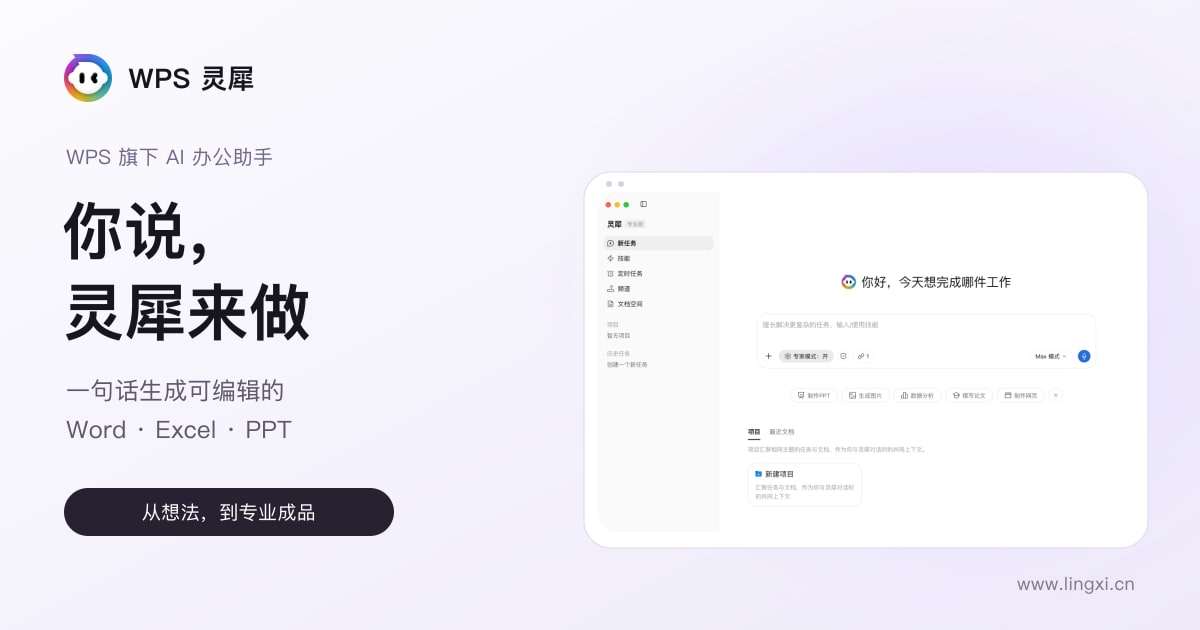
What is Lingxi
Lingxi is a desktop AI agent launched by Kingsoft Office (WPS). Users simply describe their idea in a single sentence, and the AI independently plans the steps, calls tools, and directly produces editable office deliverables such as Word, Excel, and PPT. Built on WPS's document technology foundation, the product excels at handling complex document and data tasks and can remember users' preferences and project context. Even when users are away from their computer, they can remotely control it via phone, taking work from understanding to completion.
Key Features of Lingxi
- Smart Conversation: Supports multi-turn dialogue and complex logical reasoning, understanding context and tracking topics.
- Document Processing: Built on the WPS technology foundation, generates, edits, formats, and translates various documents including Word/Excel/PPT/PDF.
- Data Analysis: Upload data files for automatic analysis, generating formulas and visual charts, with a traceable and verifiable process.
- Deep Research: Directly connects to authoritative data sources such as academic databases and financial market data, outputting trustworthy analysis reports.
- Web Automation: Simulates human browsing operations, batch-collecting information, filling forms, and downloading files.
- Code Execution: Built-in sandbox environment supports Python/Node.js code generation, execution, and debugging.
- Long-term Memory: Remembers preferences, project context, and experience across sessions, learning more about you the more you use it.
- Skill Ecosystem: Built-in professional skills, supports packaging repetitive workflows into custom skills for continuous expansion.
- Scheduled Tasks: Set times for automatic AI task execution, supporting both periodic and one-time tasks.
- IM Remote Control: Issue commands via WeChat, WeCom, Feishu, DingTalk; control your computer remotely from your phone.
- Multimodal Capabilities: Supports image generation/understanding and speech-to-text.
- Local File Operations: Reads and writes authorized computer folders, batch processing and format conversion.
How to Use Lingxi
- Download and Install: Visit the official website https://www.lingxi.cn/ and download the client for Windows or macOS and install it.
- Log In: Log in with your WPS account, supporting password, phone verification code, WeChat/QQ, or enterprise SSO.
- Start a Task: Describe your needs in natural language in the input box—no special commands needed, e.g., "Help me generate a sales report PPT."
- Upload Files: Drag and drop or click the attachment button to upload documents, supporting docx/xlsx/pptx/pdf and other formats; single files recommended not to exceed 50MB.
- View Execution: After sending, Lingxi automatically plans and executes; the conversation area shows stage descriptions and intermediate steps in real time.
- Get Results: After task completion, view or download the finished files directly, or export to WPS Cloud.
- Continue Asking: Continuously optimize based on results, e.g., "Make the font larger" or "Add a pie chart."
- Capture and Reuse: Let Lingxi remember preferences and project context, or package repetitive workflows into skills.
Core Advantages of Lingxi
- End-to-End Delivery: Supports actually executing tasks and directly delivering editable Word/Excel/PPT deliverables.
- Document Expert: Built on WPS's deep document technology, PPT layouts are beautiful and freely editable, and table analysis processes are traceable layer by layer.
- Long-term Memory: Accumulates preferences, project context, and experience across sessions; new tasks require no repeated explanations, becoming more efficient with use.
- Professional Data Sources: Directly connects to authoritative sources such as academic databases, East Money market data, and government databases, with real-time and trustworthy data.
- Browser Extension: Operates web pages and scrapes personal backend data under the user's real identity, with no manual export needed.
- Skill Ecosystem: Built-in professional skills and supports custom packaging, with capabilities continuously expanding through use.
- IM Remote Control: Issue commands anytime via chat tools like WeChat; work advances even when you're away from the computer.
Lingxi vs. Competing Products
| Comparison Dimension | Lingxi Pro | QoderWork (Qianwen Office) |
|---|---|---|
| Product Positioning | AI smart assistant deeply integrated into office scenarios | All-in-one AI Agent office tool |
| Origin & Integration | Independent upgrade of WPS AI capabilities | Integration of three products: QoderWork, Wukong, MuleRun |
| Underlying Model | Multiple selectable models (supports custom API Key) | Self-developed Qwen3.8 (2.4 trillion parameters) |
| Document Capability | Built on WPS document foundation, with clear advantages in professionalism and secondary editing | One-stop generation and editing of Office deliverables |
| Ecosystem Binding | WPS account system, cloud drive, Office plugins (coming soon) | Deeply integrated with DingTalk; connectors already cover WeCom and Feishu |
| Enterprise Collaboration | Primarily IM remote control, weaker organizational-level capability | Enterprise collaboration Agent at the core, supporting organizational-level Skill sharing |
| Memory System | Core memory + five-category knowledge base, with detailed structure | Has long-term memory and custom skill capabilities |
| Extension Capability | Skill marketplace + custom skills | Connector ecosystem (DingTalk 1000+ commands, Qixin Huiyan and other 200+ data interfaces) |
Application Scenarios of Lingxi
- Document Generation and Formatting: Generate professional PPT and Word reports in one sentence, with coordinated layouts, reasonable color schemes, and all elements freely editable.
- Data Analysis and Visualization: Upload Excel for automatic trend analysis, generating formulas and charts, with every calculation step traceable and verifiable.
- In-depth Research Reports: Directly connect to authoritative data sources such as academic paper databases and financial market data; output structured research reports after multiple rounds of retrieval and analysis.
- Batch Web Information Collection: Automatically collect e-commerce reviews, recruitment information, etc., and summarize them into Excel tables or analysis reports.
- Mobile Office Remote Command: Send commands via WeChat to remotely have Lingxi on your computer organize files, convert formats, and handle urgent matters.
Frequently Asked Questions about Lingxi
Q1: What is Lingxi? A1: Lingxi is a desktop AI agent launched by Kingsoft Office. With a single sentence describing your idea, it can independently plan, call tools, and directly produce editable office deliverables such as Word/Excel/PPT. Built on WPS's document technology foundation, it excels at complex document and data tasks.
Q2: Which office software is supported? A2: Built on the WPS technology foundation, it can generate, edit, format, and translate various documents including Word/Excel/PPT/PDF; finished products can be downloaded directly or exported to WPS Cloud.
Q3: Can it be used when away from the computer? A3: Yes. By sending commands via WeChat, WeCom, Feishu, and DingTalk, your phone can remotely direct Lingxi on your computer to execute tasks, advancing work even when you're not present.
Q4: Are the data sources and memory reliable? A4: Lingxi remembers preferences and project context across sessions with long-term memory; deep research directly connects to authoritative data sources such as academic databases and financial market data, with analysis and calculation processes traceable and verifiable layer by layer.
Frequently asked questions
What is Lingxi?
Lingxi is a desktop AI agent launched by Kingsoft Office. With a single sentence describing your idea, it can independently plan, call tools, and directly produce editable office deliverables such as Word/Excel/PPT. Built on WPS's document technology foundation, it excels at complex document and data tasks.
Which office software is supported?
Built on the WPS technology foundation, it can generate, edit, format, and translate various documents including Word/Excel/PPT/PDF; finished products can be downloaded directly or exported to WPS Cloud.
Can it be used when away from the computer?
Yes. By sending commands via WeChat, WeCom, Feishu, and DingTalk, your phone can remotely direct Lingxi on your computer to execute tasks, advancing work even when you're not present.
Are the data sources and memory reliable?
Lingxi remembers preferences and project context across sessions with long-term memory; deep research directly connects to authoritative data sources such as academic databases and financial market data, with analysis and calculation processes traceable and verifiable layer by layer.



