

Moxt is an AI-native workspace: every team member has a personal assistant, momo, that reads and writes workspace files directly (uploads convert to Markdown automatically), stores memory in files such as user_profile.md, MEMORY.md and AGENTS.md so context survives across sessions, and can be extended with role-specific AI colleagues connected to Slack and Feishu. Billing is credit-based at 100 credits per US dollar, with 1,000 credits free on signup and charges only for work the AI performs.
Moxt: an agent-native workspace where AI teammates share the desk
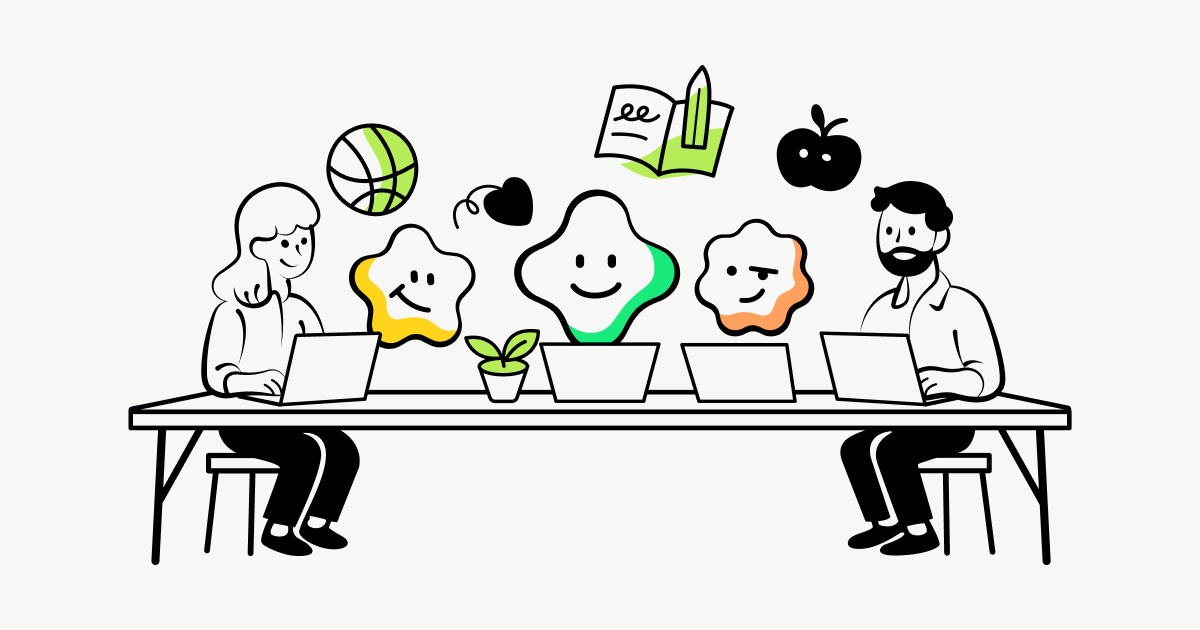
Moxt calls itself an Agent-Native Workspace, and the description is literal: not another chat window, but a work area where human members and AI colleagues occupy the same space. Each teammate gets a personal assistant called momo with persistent memory that can read and write the workspace's files, run web research, write code, build data dashboards, draft documents, and plug directly into Slack or Feishu - you can assign work by mentioning it in a chat channel. For teams already scattered across a dozen SaaS tools, an AI that lives inside the existing workflow comes closer to real habits than one more browser tab.
Most AI tools break at context. Every conversation starts with a briefing, files are spread across drives, chat logs and email, and the model only sees the fragment you paste. Moxt treats context as infrastructure: uploaded files convert to Markdown and become directly readable and writable, while preferences, rules and role knowledge learned in conversation go into system files - user_profile.md, MEMORY.md and AGENTS.md - that persist across sessions and can be opened and edited by hand.
The structure has two layers: Team Space holds shared material and AI colleagues, Personal Space holds individual files, with permissions split accordingly. AI colleagues are not one generic assistant but configurable roles - recruiting, marketing, engineering - each with its own Rules, Skills and Memory files that accumulate expertise. Pricing follows the same logic: you pay only for work the AI actually performs.
What Moxt does
A personal assistant per member
Each teammate has an independent momo, onboarded through a short conversation about your role, language preference and document style. Assistants are isolated from one another, so personal preferences do not leak into a colleague's setup.
Persistent memory in plain files
Conversation context is written into user_profile.md, MEMORY.md and AGENTS.md, surviving across sessions. The practical effect is that briefing the AI the second time costs far less than the first - and because memory is a readable file, you can inspect, correct or clear it.
File-native management
Split into Team Space and Personal Space, with uploads converted to Markdown so the AI can read, write and create files. For document-heavy work this decides whether the model is reacting to a pasted snippet or actually working through your material.
Configurable AI colleagues
You can create specialist agents - HR, marketing and so on - and accumulate role knowledge through Rules, Skills and Memory files. Multiple AI colleagues keep separate spaces, so their expertise does not blur together.
Multimodal task execution
Covers web research, dashboard building, Python project work, competitor-monitoring scrapers, document editing and email templates. The range is wide; the practical ceiling depends on the underlying model and runtime.
Chat integration
Native Slack and Feishu integration means you can mention an AI colleague in a channel and hand off the task without opening another site. For teams already centred on messaging, that is the lowest-friction way to adopt it.
Getting started
- Register at moxt.ai, click start, and create a workspace with a name for the team space.
- Generate an invite link in settings, add human colleagues and assign Admin or Member roles.
- Complete the onboarding conversation with momo, stating your role, language preference and document style.
- Create folders in Team Space or Personal Space and upload material; files convert to Markdown automatically.
- Type a request in the side panel, or mention a specific folder so the AI works from existing context.
- Open AI Teammates to create a specialist agent and configure its role, Rules, Skills and Memory files.
- Bind Slack or Feishu under Integrations, then mention the AI colleague in a channel to start work.
Pricing and billing
- Credits meter work the AI actually performs, closer to a utility bill than a seat licence.
- The rate is fixed at 100 credits per US dollar; credits never expire, do not reset monthly, and can be topped up in any amount at any time.
- Signup includes 1,000 credits, delivered when the first workspace is created, enough to trial before paying.
- Conversations, task runs, automations, scheduled jobs and independent AI colleague work all consume credits, while creating an AI colleague is free.
Who it fits
- Recruiting, marketing and operations teams with heavy repetitive document work they want to hand to an agent.
- Teams already working in Slack or Feishu that do not want yet another platform for AI.
- Roles where material is spread across documents and the model needs to reason across them, not just a pasted paragraph.
- Teams willing to design agent roles and rules up front - the clearer the division of labour, the larger the payoff.
Limits and caveats
- Web only: there is no standalone desktop or mobile client, so offline and mobile use depends on the browser and chat integration.
- Files are Markdown-centric and uploads convert automatically; verify fidelity first for complex layouts, formulas or very large tables.
- The product expects basic familiarity with AI tooling and recommends defining agent roles before deploying, otherwise AI colleagues degrade into general chatbots.
- Memory lives in user_profile.md, MEMORY.md and AGENTS.md, so when several people share one AI colleague their preferences can collide; agree on maintenance rules.
- Credit consumption scales with task complexity, and long-running jobs such as scrapers or dashboard builds cost noticeably more than ordinary chat, so test with small budgets first.
- The source does not disclose enterprise pricing, data residency or compliance certifications; confirm with the vendor before handling sensitive data.
Frequently asked questions
How is this different from using a general assistant?
A general assistant works per conversation, with context supplied by repeated pasting. Moxt puts context into the workspace: uploads convert to Markdown for direct read and write, memory persists in Markdown files across sessions, and you can run several role-specific AI colleagues inside Slack and Feishu. The difference is treating AI as a long-term team member rather than a one-off tool.
Can the memory be inspected or corrected?
Memory is stored in readable files such as user_profile.md, MEMORY.md and AGENTS.md, which you can open, amend or clear at any time. Reviewing it periodically is sensible, especially when several people share a single AI colleague and preferences could overwrite each other.
How does the pricing work?
Credits, at 100 per US dollar, with 1,000 free on signup and no expiry. Only work the AI performs is charged, and creating an AI colleague is free. Whether that is expensive depends on the task: ordinary chat is cheap, while long-running scrapers or dashboard builds add up.
Which platforms are supported?
It is a web product with Slack and Feishu integrations, so tasks can be triggered by mentioning the AI colleague in a chat. The source does not mention a standalone desktop client or mobile app.
Frequently asked questions
How is this different from using a general assistant?
A general assistant works per conversation, with context supplied by repeated pasting. Moxt puts context into the workspace: uploads convert to Markdown for direct read and write, memory persists in Markdown files across sessions, and you can run several role-specific AI colleagues inside Slack and Feishu. The difference is treating AI as a long-term team member rather than a one-off tool.
Can the memory be inspected or corrected?
Memory is stored in readable files such as user_profile.md, MEMORY.md and AGENTS.md, which you can open, amend or clear at any time. Reviewing it periodically is sensible, especially when several people share a single AI colleague and preferences could overwrite each other.
How does the pricing work?
Credits, at 100 per US dollar, with 1,000 free on signup and no expiry. Only work the AI performs is charged, and creating an AI colleague is free. Whether that is expensive depends on the task: ordinary chat is cheap, while long-running scrapers or dashboard builds add up.
Which platforms are supported?
It is a web product with Slack and Feishu integrations, so tasks can be triggered by mentioning the AI colleague in a chat. The source does not mention a standalone desktop client or mobile app.



