

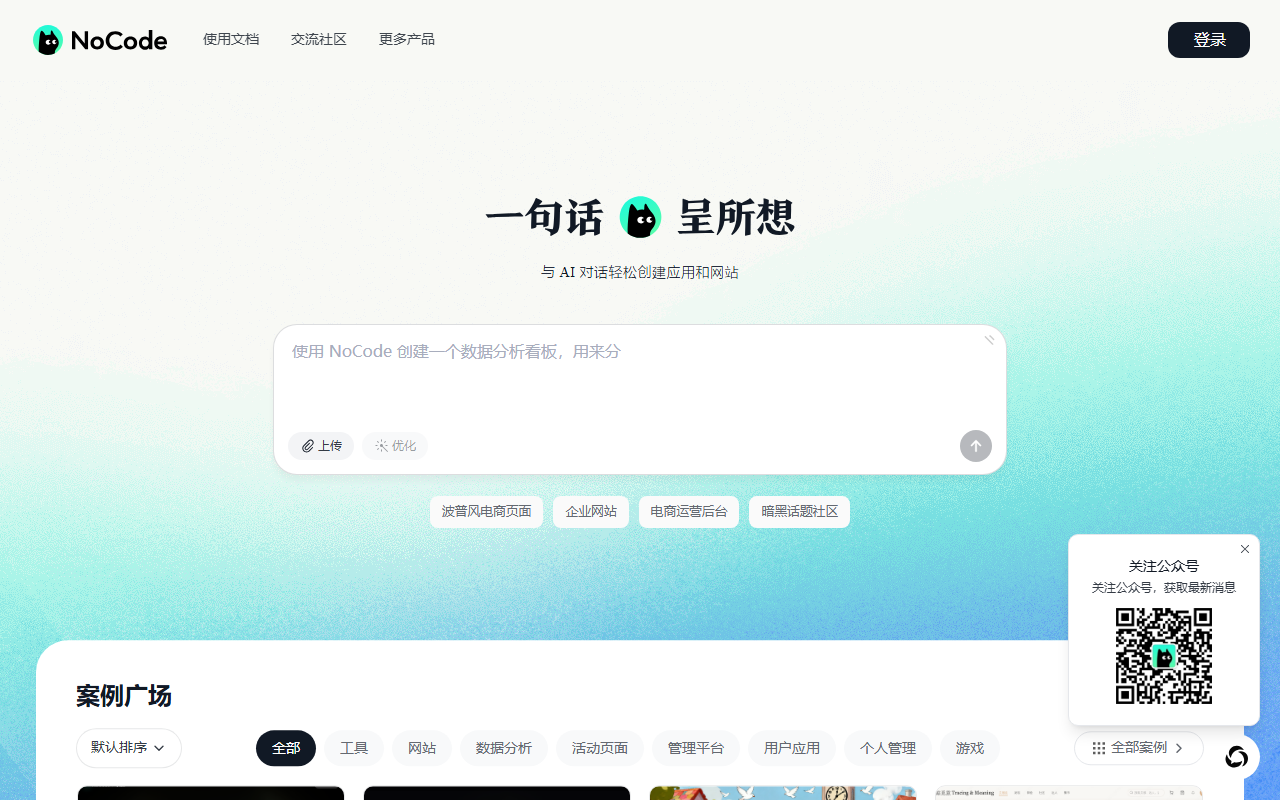
NoCode, at nocode.cn, replaces code with description. You state the page type and structure, the model emits working front-end code and renders it live, you click the part you want changed, and when it looks right you generate a share link. It also offers a Database with generated SQL, file storage, WeChat mini-program authoring from a phone, a chat-only mode and a knowledge setting to keep output consistent. It suits non-technical people who need a usable page quickly.
What it is
In one line: it compresses "learn front-end for three months, then spend two weeks building a page" into "explain clearly what you want".
NoCode is Meituan's zero-code AI application platform at nocode.cn, with login by scanning a code in the Meituan app or WeChat. It is not a drag-and-drop editor. You describe the requirement in natural language, the model emits working front-end code and renders it live beside the prompt. The vendor claims 200 lines of code per second, running on Meituan's own hundred-billion-parameter LongCat model tuned for front-end work.
Main features
- Natural-language programming: no code, just a description of page type and structure.
- Live preview: the page renders immediately, so you decide what to change by looking at it rather than switching between an editor and a browser tab.
- Partial edits: you are not regenerating the whole page to fix one label; pair that with version comparison and rollback and experimentation gets cheap.
- One-click deploy: saving produces a share link, so there is no server to rent and no domain to configure.
- Database and generated SQL: connect a database to store and manage data, describe the need in the interface, get SQL you can run in one click, and the front-end adapts afterwards.
- File storage: upload, call and manage images and audio; automatic structure detection with generated tables is marked as coming soon.
- WeChat mini programs: author, share and manage from a phone without a computer.
- Chat-only mode: skip page generation and talk the problem through with the assistant, which suits debugging ideas rather than shipping output.
- Knowledge settings: define terminology and formatting rules per project so repeated generations stay consistent and you stop pasting the same prompt.
Getting started
Log in. Open the site and scan with the Meituan app or WeChat.
Say what you need. Type the page type into the home input, for example an online form or a product showcase.
Add structure. Describe the layout, such as a top navigation bar, a middle content area and a bottom button row. The more specific this is, the closer the first draft lands.
Upload assets. Use the upload button in the input box and say where the image should go.
Send and look. Wait for generation, then click the specific area in the live preview to edit, or keep describing changes in the conversation.
Save and share. Saving pushes the code to the repository and produces a share link.
If you need storage, apply for and connect a Database first, then generate SQL through the interface. Files go through the storage module and are attached to the project by instruction, with editing and deletion handled in the Database console.
Who it suits
Product managers building prototypes, marketers shipping campaign pages, teachers making small tools, founders validating an idea, and anyone who knows the interface they want but will not learn a framework for it. It is fastest in the gap between idea and something clickable, because environment setup, build configuration and deployment disappear from the path.
Before you rely on it
- Check the address: the only login entry is nocode.cn, so watch the domain when scanning and do not authorise on lookalike sites.
- Zero code is not zero maintenance: generated code still meets browser compatibility, mobile layout and accessibility, and you have to check those before going live.
- Data features have a gate: a Database must be applied for and connected, it does not exist automatically with a page, and automatic table creation for files is still listed as coming soon.
- Complex business logic hits a ceiling: multi-role permissions, intricate state machines and third-party payments degrade conversational generation badly, and you usually end up back in code.
- 200 lines per second is generation speed: volume is not viability, and the first version still needs its logic verified line by line.
- Free tier and commercial terms: pricing and commercial licensing are not stated in the materials, so confirm inside the product before using it for external business.
Frequently asked questions
Do I need to code?
No, though basic HTML and CSS help you describe and edit faster.
Which model is used?
LongCat, Meituan's hundred-billion-parameter model optimised for front-end generation.
Can it use a database?
Yes, connect a Database and the interface generates SQL for one-click execution.
How do I share the result?
Saving produces a share link, and mini programs can be managed from a phone.
Can I undo changes?
Yes, version comparison and rollback are supported.
Frequently asked questions
Do I need to code?
No. The loop is describe, generate, adjust in the live preview. Knowing a little HTML and CSS still helps a lot, because you can read the structure it produced and describe the change more precisely.
Which model powers it?
LongCat, Meituan's own model with a hundred billion parameters, optimised for front-end development. The vendor describes a hybrid large-model plus small-model strategy coordinating across systems to produce HTML, CSS and JavaScript.
Can it connect to a database?
Yes. Connecting a Database lets you store and manage data with live updates. You describe the need in the interface, NoCode generates the SQL for one-click execution, and the front-end code then adapts to the storage logic.
How do I share what I built?
Saving generates a share link, which is the deployment step. Mini-program projects can also be authored, shared and managed from a phone, so you are not tied to a desktop.
Can I undo a bad change?
Yes. The platform supports version comparison and rollback, so if a partial edit makes things worse you can return to the previous version. That matters when you iterate on a page many times.



