

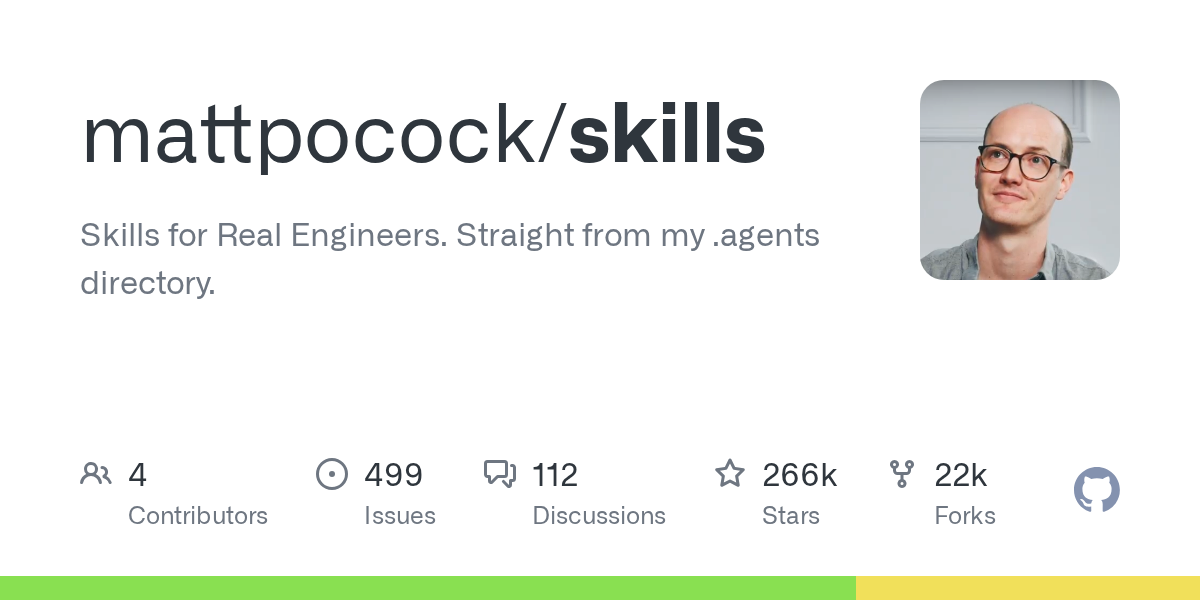
Skills For Real Engineers is an AI agent skill library that Matt Pocock built for professional engineers, drawn from the set of practices he uses every day in his .claude directory. It's not a heavy process framework like GSD or BMAD; it's a group of small, composable, freely modifiable skills that use commands like /grill-me, /tdd, and /diagnose to align requirements, drive red-green refactoring, and run disciplined debugging — without being tied to a specific model.
What Is Skills For Real Engineers?
In one sentence: Skills For Real Engineers (repository name: Matt Pocock Skills) is an AI agent skill library created by Matt Pocock for professional engineers, born from his daily .claude directory practice.
Its positioning is clear — not a vibe-coding toy, but a daily toolbox for "doing real engineering." The author says he built these skills to fix the common failure modes he repeatedly sees with coding agents like Claude Code and Codex.
How It Differs from GSD and BMAD
Approaches like GSD, BMAD, and Spec-Kit try to "own the process." In doing so, they also take away your control; once something goes wrong inside the process, it's hard to pin down. Skills For Real Engineers takes the opposite route:
- Small and focused: each skill works standalone; no monolithic framework.
- Composable: pick what you need, trim freely, and adapt it to your own repo.
- Hackable: skills are just ordinary files in your repository — if you don't like one, change it.
- Model-agnostic: not tied to a specific model; works with Claude, Codex, Cursor, and more.
- Engineering-native: built on classic engineering principles from The Pragmatic Programmer, Domain-Driven Design, and similar works, rather than heaps of prompt tricks.
Positioning
Built for developers who already have real engineering habits: it uses real feedback — static types, automated tests, red-green refactoring — to keep the agent disciplined and stop it from "flying blind." The skill library itself provides no hosted service and won't decide your architecture for you; it only offers a set of reusable conversation and workflow interfaces.
Core Features
The skills are exposed to the agent as slash commands, grouped into several categories.
Requirements Alignment
/grill-me: a high-intensity grilling session that aligns requirements and decision branches before coding; also works for non-coding contexts./grill-with-docs: like grilling, but also builds a shared project language and architecture decision records (ADRs) together./zoom-out: asks the agent to step out of the local code and explain things from a whole-system perspective.
Development & Verification
/tdd: drives the agent through a red-green-refactor loop, building features or fixing bugs one vertical slice at a time./diagnose: a disciplined diagnosis loop — reproduce → minimize → hypothesize → instrument → fix → regression test./prototype: quickly builds a runnable terminal prototype or multiple UI variants to validate a design.
Tasks & Planning
/triage: triages and dispatches issues using a state machine, with support for custom label vocabularies./to-prd: synthesizes the current conversation context into a PRD and files it as a GitHub Issue./to-issues: breaks a plan or PRD into independently claimable vertical-slice tasks.
Architecture & Collaboration
/improve-codebase-architecture: identifies module-deepening opportunities from CONTEXT.md and ADRs to keep the architecture mud ball in check./caveman: an aggressively compressed communication mode that cuts about 75% of token consumption while keeping technical precision./handoff: compresses the current session into a handoff document so another agent can pick up seamlessly./teach: turns the current directory into a stateful teaching space, teaching new skills or concepts over multiple sessions./write-a-skill: creates new skills following a canonical structure, with progressive disclosure and resource bundling.
The Shared Language Mechanism
Building a project-wide terminology system with CONTEXT.md is the technique the author prizes most in this set. What he observed: agents are usually dropped straight into a project and have to guess the jargon as they go, so they end up using 20 words where 1 would do.
For example, rewriting "there's a problem when a lesson inside a section of a course is made 'real'" as "there's a problem with the materialization cascade" saves a huge amount of explanation in one sentence — and that conciseness compounds session after session. A shared language also brings: consistent naming for variables, functions, and files; a codebase the agent can navigate more easily; and fewer tokens spent on agent reasoning.
How to Use Skills For Real Engineers
There are two ways in, corresponding to two philosophies — pick one.
Option 1: The Claude Code Plugin
- The whole skill set installs as a managed, read-only bundle that updates automatically when the author ships changes — you subscribe rather than fork.
- It's in Claude Code's official marketplace, so there's nothing to add first, and updates arrive automatically.
- A native Codex plugin is on the roadmap (see
.agents/adr/0002-ship-as-a-claude-code-plugin.md).
Option 2: The Skills Installer
Run npx skills@latest add mattpocock/skills, select the target agent, and check /setup-matt-pocock-skills. The installer lets you choose which skills to take and which coding agents to install them on; the skills are written into your repo as ordinary files that you own and can edit. Nothing updates behind your back — pull the latest changes with npx skills update whenever you want them.
Note: installing both ways leaves you with every skill twice.
Setup and Daily Rhythm
- Run
/setup-matt-pocock-skillsonce in your agent — once per repo. It will ask which issue tracker to use (GitHub, Linear, or local files), what labels you apply when triaging (/triagedepends on those labels), and where to save the docs it generates. - Before every change, align requirements with
/grill-meor/grill-with-docs. - During development, guard quality with
/tdd. - When a bug appears, start a disciplined diagnosis with
/diagnose. - For architecture maintenance, run
/improve-codebase-architectureregularly to prevent code rot.
The whole install and configuration takes about 30 seconds, and supports GitHub, Linear, or local files as the issue tracker.
Use Cases
- Requirements alignment & planning: before starting a project or changing a feature, run a high-intensity grilling session with
/grill-meor/grill-with-docsso both sides fully agree on requirements, decision branches, and domain terminology. - Test-driven development: when code quality matters, use
/tddto drive the agent through red-green-refactor, building features or fixing bugs one vertical slice at a time so every change is guarded by automated tests. - Complex bug diagnosis: for performance regressions or logic defects that are hard to reproduce, use
/diagnoseto go through the full diagnosis loop. - Ongoing architecture governance: in large, long-lived codebases, run
/improve-codebase-architectureregularly to find module-deepening opportunities from CONTEXT.md and ADRs, keeping the agent from accelerating rot. - Cross-session collaboration: compress sessions with
/handoffand cut tokens with/caveman— useful for long tasks and multi-agent handoffs.
Strengths
- Lightweight & composable: rejects heavy frameworks; each skill works standalone and can be trimmed to fit.
- Model-agnostic: works with Claude, Codex, Cursor, and more.
- Engineering-native: built on classic engineering principles, not prompt tricks.
- Shared language mechanism: CONTEXT.md significantly cuts agent communication cost and token usage.
- Feedback loops: emphasizes real feedback from static types, automated tests, and red-green refactoring.
- Easy to modify: on the skills-installer path, skills are editable files in your own repo.
Limitations
- It's a set of skills, not an end-to-end process manager; teams without shared-language and ADR discipline must maintain CONTEXT.md and decision records themselves.
- The label system for
/triagedepends on the configuration you set during setup; misconfiguration weakens triage. - The two install paths are mutually exclusive; mixing them duplicates every skill.
- The native Codex plugin is still on the roadmap; Codex users currently install via the skill-files path.
- Exact support scope, command details, and update cadence may change.
Pricing & Availability: What to Verify
The fact sheet contains no pricing, subscription fees, or license terms, so we won't speculate. Whether it's paid, the licensing model, available install channels, and the latest version status should be verified directly on the official product site https://github.com/mattpocock/skills and the official plugin marketplace page of the agent you use before you decide.
FAQ
Does it lock me into a specific model?
No. It's officially described as model-agnostic; Claude, Codex, Cursor, and others all work.
Can I use it immediately after installing?
You still need to initialize. Run /setup-matt-pocock-skills once in your agent to configure the issue tracker, triage labels, and doc directory; only then will skills like /triage work according to your conventions.
Should I pick the plugin or the installer?
If you want to follow the author's updates and accept a managed read-only bundle, choose the Claude Code plugin. If you want to own and modify the files and control when updates happen, use npx skills@latest add mattpocock/skills. Don't install both.
Does it conflict with GSD or BMAD?
The author's design intent is to offer an alternative: GSD, BMAD, and Spec-Kit help by owning the process, but in doing so they take away your control and make in-process problems hard to resolve. This skill set chooses small, composable, hackable pieces instead. Whether you mix them depends on your team's discipline.
Which skill is most worth trying first?
The author thinks /grill-with-docs may be the single most powerful technique in the whole repo: it's a grilling session that also helps you build a shared language with the AI and writes hard-to-explain decisions into ADRs.
Alternatives
- GSD, BMAD, Spec-Kit: heavy frameworks that try to own the development process — less control, and process problems are harder to track down.
- Agent Skill open-sourced by developer Yize Eze: focused on "thinking about how to browse the web."
- Jesse Vincent's open-source agentic skills framework and software-development-method plugin.
- An open-source AI design skill built for AI coding assistants.
- General approach: maintain your own set of .claude or project-level skill files, assembled to fit your team's habits.
Primary Sources
- Official product site and repository: https://github.com/mattpocock/skills
If you want to keep up with changes to these skills and any new ones the author creates, you can join the newsletter subscribed to by roughly 60,000 developers.
Frequently asked questions
Does Skills For Real Engineers lock me into one model?
No. It's officially described as model-agnostic; Claude, Codex, Cursor, and others all work.
Can I use it right after installing, or is more configuration needed?
You still need to initialize. Run /setup-matt-pocock-skills once in your agent; it asks which issue tracker to use (GitHub, Linear, or local files), what labels to use when triaging, and where to save docs. Only then will skills like /triage work according to your conventions.
Which should I choose: the Claude Code plugin or the skills installer?
They map to two philosophies, and you should pick one. The Claude Code plugin installs the whole set as a managed, read-only bundle that updates when the author ships; the skills installer (npx skills@latest add mattpocock/skills) copies editable skill files into your repo, which you control, and you can pull updates with npx skills update. Installing both leaves you with every skill twice.
How is it different from GSD and BMAD?
GSD, BMAD, and Spec-Kit help by owning the process, but in doing so they take away your control and make in-process problems hard to resolve. This skill set stays small, composable, and hackable; it doesn't bind you to a process, and each skill works standalone.
Why is the shared language considered so important?
The author observed that agents are often dropped straight into a project and have to guess the jargon, using 20 words where 1 would do. With a shared language built from CONTEXT.md, naming becomes more consistent, the codebase is easier to navigate, and the agent spends fewer tokens thinking — a conciseness that compounds across sessions.
If I only try one skill first, which do you recommend?
The author thinks /grill-with-docs may be the most powerful technique in the repo: it's a high-intensity grilling session that also builds a shared project language with the AI and records hard-to-explain decisions in ADRs.



