

Udio is an AI music app that generates complete songs from a text description of style, mood and theme, and supports lyric editing and social sharing.
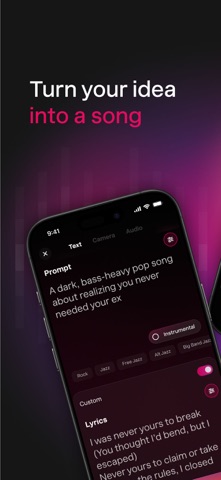
Udio: An AI Music App That Turns Words Into Complete Songs
What is Udio
Udio is an AI music creation app. You only need to type a description, and it generates a complete song with vocals, accompaniment and structure. It supports text-to-music generation, lyric editing, audio clip upload, song extension and AI album cover creation. You can browse other creators' tracks and share your music on major social platforms. Udio offers three plans: a free tier, Standard (10 USD per month) and Pro (30 USD per month).
Key features
Text-to-music generation: describe the style, mood and theme you want, and Udio turns those prompts into a complete song with vocals, backing track and arrangement.
Lyric editing: write your own lyrics, let AI draft them, or edit existing lines one by one, with lines matched to the rhythm so the flow stays natural.
Audio clip upload (Pro): upload voice memos, samples or loops, then mix, extend or turn them into finished songs inside the app.
Song extension: add an intro, an ending or new sections to a short clip you like and grow a simple idea into a full track.
Advanced controls (Pro): adjust clarity, quality, length and the underlying AI model to shape the style and sound more precisely.
AI album covers: let AI create cover art for your track, or upload your own design so the release looks the part.
Discover feed: browse songs made by other users, like and save them, and pick up ideas from other creators.
Social sharing: export the audio or video and post it to TikTok, Instagram, YouTube and similar platforms.
How to use Udio
Sign up: open the Udio website or app, create an account and log in.
Pick a plan: choose between the free tier, Standard and Pro; advanced features require the matching subscription.
Write a prompt: describe the musical style, mood, theme or direction of the lyrics.
Generate and listen: submit the prompt, wait for the result and pick the version you like.
Edit and extend: adjust lyrics line by line or use song extension to add an intro, ending or new sections.
Make a cover: use an AI-generated album cover or upload your own artwork.
Export and share: export the finished audio or video, share it or save it locally.
Who it suits
Creators needing music: quickly produce background music or theme tracks for short videos, podcasts and social posts.
Songwriting drafts: turn a melodic idea into something you can listen to, then refine it.
Lyric practice: check how your own lyrics sit against rhythm and flow.
Inspiration: browse the community feed to see how different styles are approached.
Limitations
Audio clip upload and advanced controls are Pro features and require the matching subscription.
Plan prices and feature ranges can change; the official description is what counts.
Rights and commercial use depend on the platform's terms, so check licensing before commercial release.
AI-generated music can contain flaws in structure or pronunciation, so a human listen-through is advisable before publishing.
FAQ
Is Udio free? Udio offers a free tier along with Standard (10 USD per month) and Pro (30 USD per month); the feature range follows the official description.
Can I make songs without playing an instrument? Yes. Describe the style, mood and theme in words and you get a complete song with vocals and accompaniment.
Can I write my own lyrics? Yes. Udio supports writing your own lyrics, generating them with AI and editing existing lyrics line by line, matching them to the rhythm.
Can I share the songs on social platforms? Yes. You can export audio or video and share it on TikTok, Instagram, YouTube and other platforms.
Frequently asked questions
Is Udio free?
Udio offers a free tier along with Standard (10 USD per month) and Pro (30 USD per month); the feature range follows the official description.
Can I make songs without playing an instrument?
Yes. Describe the style, mood and theme in words and you get a complete song with vocals and accompaniment.
Can I write my own lyrics?
Yes. Udio supports writing your own lyrics, generating them with AI and editing existing lyrics line by line, matched to the rhythm.
Can I share the songs on social platforms?
Yes. You can export audio or video and share it on TikTok, Instagram, YouTube and other platforms.



