

WorkBuddy is Tencent's AI-native desktop agent workbench: install and use, OpenClaw skill compatible, with multi-model switching, MCP support, parallel agents and remote control from mobile messaging apps.
WorkBuddy: Tencent's AI-Native Desktop Agent Workbench
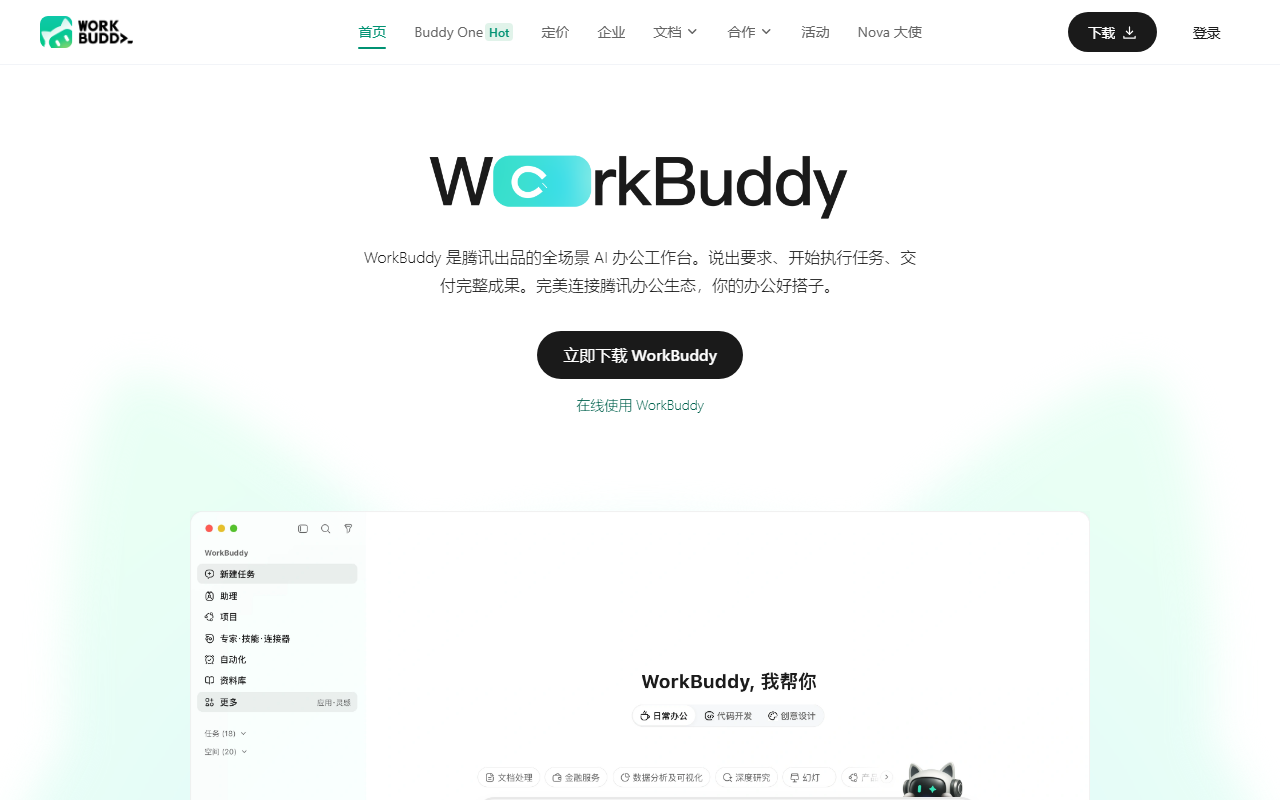
WorkBuddy is an AI-native desktop agent workbench from Tencent. It packs the capabilities of open agent frameworks into a client you can simply install: no environment to configure, no model endpoints to wire up, no API keys to obtain. You describe the task in ordinary language, and WorkBuddy plans the steps, calls the tools, executes them one by one, and leaves the deliverable in a side panel for you to accept. That execution-is-delivery stance is the clearest line between it and a conversational assistant that only offers advice.
The desktop client is the foundation, and the main difference from a browser-based assistant. Running locally, it can read folders you authorize, process files in batches and write results back to disk, instead of producing text you then copy and paste. For expense receipts, bulk renaming or consolidating several spreadsheets, that difference decides whether a task gets described or actually done.
WorkBuddy is fully compatible with OpenClaw skills, and Tencent positions it as the packaged counterpart to that open project. Compatibility means existing skill packs import directly rather than being rewritten from scratch. On top of that it removes the deployment work OpenClaw usually involves, lowering the barrier from configuring a development environment to double-clicking an installer. MCP support is retained as well, so external tools and data sources can be attached to extend the reach.
Key features
Document generation
One sentence produces reports, technical docs, meeting minutes, emails or weekly summaries ready to use. The value is not typing speed but sequencing: it identifies the document type, gathers material, structures sections and then writes, so the output enters a workflow instead of needing a full rewrite.
Data analysis and charts
Upload a spreadsheet and it cleans the data, aggregates by category, merges sheets and exports charts with conclusions. For people who do not live in formulas and pivot tables, this converts a messy file into something presentable, removing the most tedious middle step.
Slide and report building
Given a topic or template, it gathers information online and assembles a structured, presentable deck or research report. Best for a first full draft you then refine by hand.
Batch file operations
With permission granted, it reads local folders and handles organizing, renaming, format conversion and information extraction. This is where the desktop form pays off most, especially for archives of several hundred files.
Deep research
For complex questions it runs online research, consolidates sources and organises the logic into a structured report with supporting evidence, useful for competitor scans and industry overviews.
Remote control
Send text or voice instructions from WeCom, QQ, Feishu or DingTalk on your phone and drive the office computer to research or write while you are away from the desk.
Model switching
Hunyuan, DeepSeek, GLM, Kimi and MiniMax are available, selectable per task. Long-form writing, numeric work and code reading place different demands on a model, so switching avoids forcing one model onto every job.
Skills and MCP
More than twenty built-in skill packs cover poster generation, automated reporting and similar jobs, with one-click import and no-code creation of custom skills. MCP connects external tools and data sources.
Parallel agents
Complex work is split into subtasks and dispatched to several agents running at once. Since single-threaded agents mostly wait in sequence, parallel dispatch noticeably shortens end-to-end time on research-plus-analysis-plus-writing tasks.
Co-writing and mobile app
You and the AI can edit the same document, selecting a passage and revising it in place. A companion mini program lets a phone drive the desktop or cloud, with outputs downloadable and forwardable.
Enterprise controls
Built on the same architecture as Tencent CodeBuddy, it brings a unified account system, billing management and security auditing, closing the management gap that open-source tools usually leave open: who used it, how much, and what they did.
How to use it
- Download the installer, run it, and launch WorkBuddy from the desktop icon.
- Sign in and complete account registration as prompted.
- Describe the task in one clear sentence in the input box, stating the goal rather than dropping keywords.
- Pick a model that suits the job: long-form writing, data work and code handling each favour different ones.
- Send the request and watch it plan and execute in the conversation panel, adding context or redirecting as needed.
- Review the generated document, spreadsheet or deck in the right-hand panel, and ask for rework directly if it misses.
- Grant access to a specific folder when local files are involved, then run the batch task.
- Switch between tasks in the sidebar to run several in parallel, then save or export the results.
Who it suits
- People producing several weekly reports, meeting minutes or technical documents who want to compress writing and spend time on review instead.
- Operations and finance roles repeatedly consolidating spreadsheets, comparing tables and producing charts.
- Marketing and strategy teams that need competitor research and decks faster than headcount allows.
- Mobile-first workers who want to issue instructions from a phone while the office machine keeps working.
- Independent developers and small teams who want ready-made skills without maintaining a deployment.
- IT departments that need unified accounts, billing and auditing rather than an unmanaged open-source setup.
Limits and cautions
- The source site does not disclose pricing, free quota or billing rules; check the plan details inside the client.
- Supported operating system versions and hardware requirements are not listed, so confirm your device meets them before installing.
- Batch file processing requires granting folder access. Verify the scope and data flow in the client first, and authorize a single working directory when handling sensitive material.
- Remote control depends on the mobile app and network connectivity. Commands take time to reach the desktop, and a sleeping machine may not start the task promptly.
- The model list changes between versions; the names given by the source represent the current selectable range only.
- Generated documents, charts and reports still need human review of facts, data definitions and conclusions, especially for anything delivered externally.
- The source does not state where conversation and file content are stored, how long they are retained or how they are encrypted. Confirm compliance requirements before enterprise use.
Frequently asked questions
How is WorkBuddy different from a chat assistant?
A chat assistant returns advice or a draft you still have to implement. WorkBuddy is a desktop agent: it decomposes the task, calls tools, reads and writes local files, and delivers documents, spreadsheets or decks you can accept.
Do I need to deploy OpenClaw first?
No. WorkBuddy is compatible with OpenClaw skills but removes the deployment step. Install it and go, importing existing skill packs as needed.
Does it require a network connection?
Core capabilities rely on online model services, and remote control needs connectivity. The source does not describe offline behaviour, so test that scenario directly.
Will it upload my local files?
Batch processing reads directories after you grant permission, but the source does not detail transmission or storage. For client or financial data, review the privacy and security notes in the client and limit the authorized scope.
Can several tasks run at once?
Yes. Switch tasks from the sidebar to run them in parallel, and complex jobs are further split into subtasks handled by multiple agents simultaneously.
Frequently asked questions
How is WorkBuddy different from a chat assistant?
A chat assistant returns advice or a draft you still have to implement. WorkBuddy is a desktop agent: it decomposes the task, calls tools, reads and writes local files, and delivers documents, spreadsheets or decks you can accept.
Do I need to deploy OpenClaw first?
No. WorkBuddy is compatible with OpenClaw skills but removes the deployment step. Install it and go, importing existing skill packs as needed.
Does it require a network connection?
Core capabilities rely on online model services, and remote control needs connectivity. The source does not describe offline behaviour, so test that scenario directly.
Will it upload my local files?
Batch processing reads directories after you grant permission, but the source does not detail transmission or storage. For client or financial data, review the privacy and security notes in the client and limit the authorized scope.



